INNORIX
Transfer BuilderTransfer FinderDevelopersResourcesCustomers
Start Free
INNORIX

LET FILES
MOVE THEMSELVES

INNORIX provides enterprise file infrastructure for moving and automating files across every system and environment.
Trusted by more than 5,000 enterprise and government agencies.

START HERE

  • Build the Transfer You Need
  • Find the Transfer You Need

POPULAR TRANSFERS

  • Sync Team Folders
  • Send Large Files to Clients
  • Explore Files Across Systems
  • Migrate FTP, SFTP, SCP & rsync
  • Add Transfer to Any App
  • Add Web Upload & Download
  • Build AI & Data Workflows
  • Browse All Transfers→

DEVELOPERS

  • Developer Center
  • Examples
  • API Quickstart
  • Developer Guide
  • API Reference
  • GitHub

RESOURCES

  • Resource Center
  • Product Guide
  • Integrations
  • Deploy & Manage
  • Help Center

CUSTOMERS

  • Government
  • Public Sector
  • Manufacturing
  • Engineering
  • Finance
  • Distribution
  • IT/Telecom
  • Media
  • Healthcare
  • Education

PLANS

  • Pricing

COMPANY

About Us

OTHER INNORIX PRODUCT

Al.bert — Smart Traffic AI

GLOBAL OFFICES

  • New York, USA
  • Seoul, South Korea
  • Ho Chi Minh City, Vietnam
  • View Office Locations→

(C)2026 INNORIX. All rights reserved.

  • Security
  • Status
  • Terms
  • Privacy
  • Cookies
  1. Developers
  2. API Quickstart
  3. Build a File Transfer Flow

Build a File Transfer Flow

INNORIX Quick Start documentation covering Build a File Transfer Flow.

  • Connect First Two Devices
  • Make Your First Transfer
  • Automate Your Transfer
  • Build a File Transfer Flow
  • Monitor Your Transfers
Deploy & Manage
Exabyter

Connect multiple Devices to create an automated File Transfer Workflow.

Connect Devices & Design the Workflow#

Connect multiple Devices using Drag & Drop and define the File Transfer sequence.
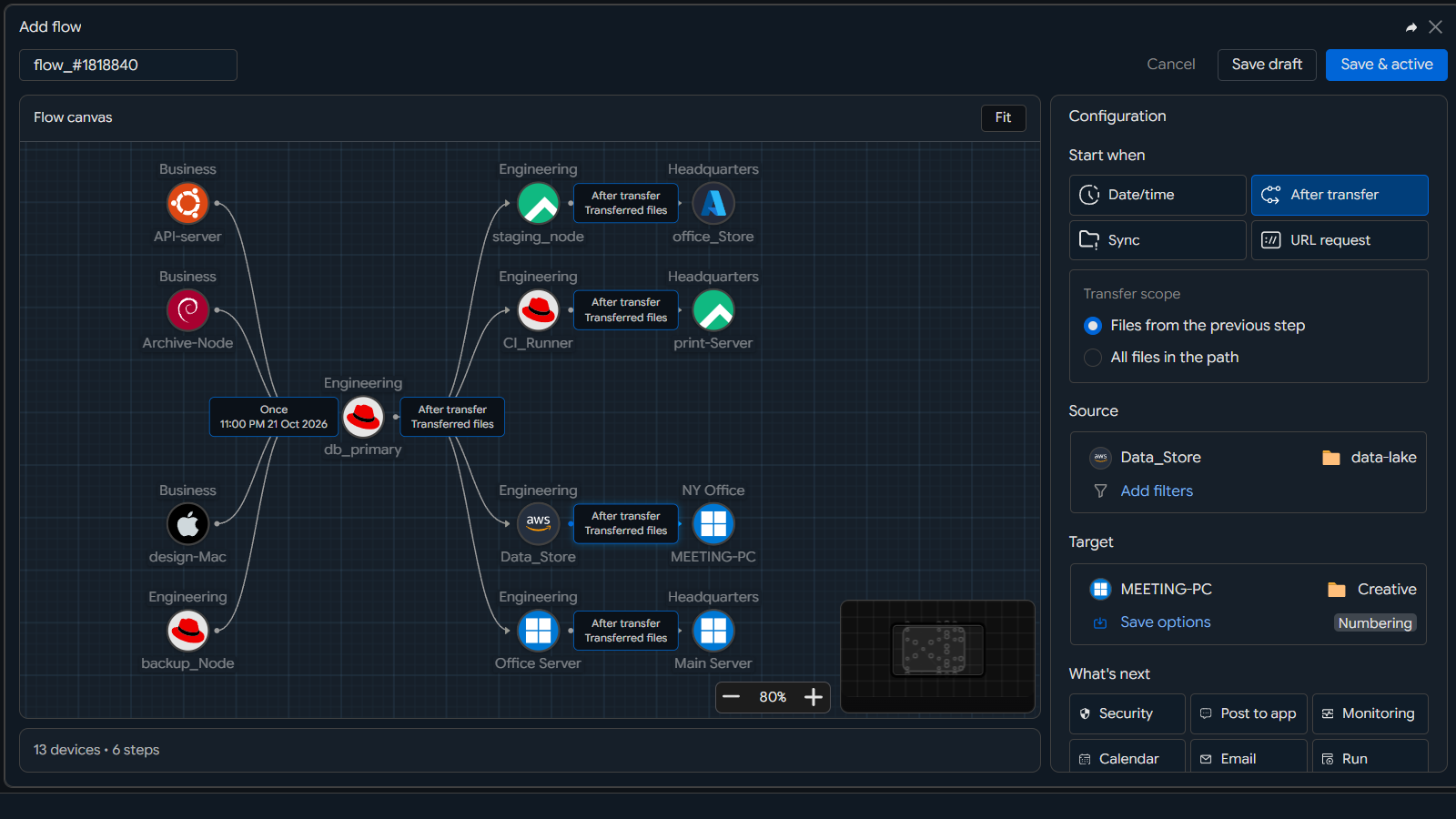
Image-4-1

Run the Workflow#

The configured Workflow automatically executes File Transfers between the connected Devices.
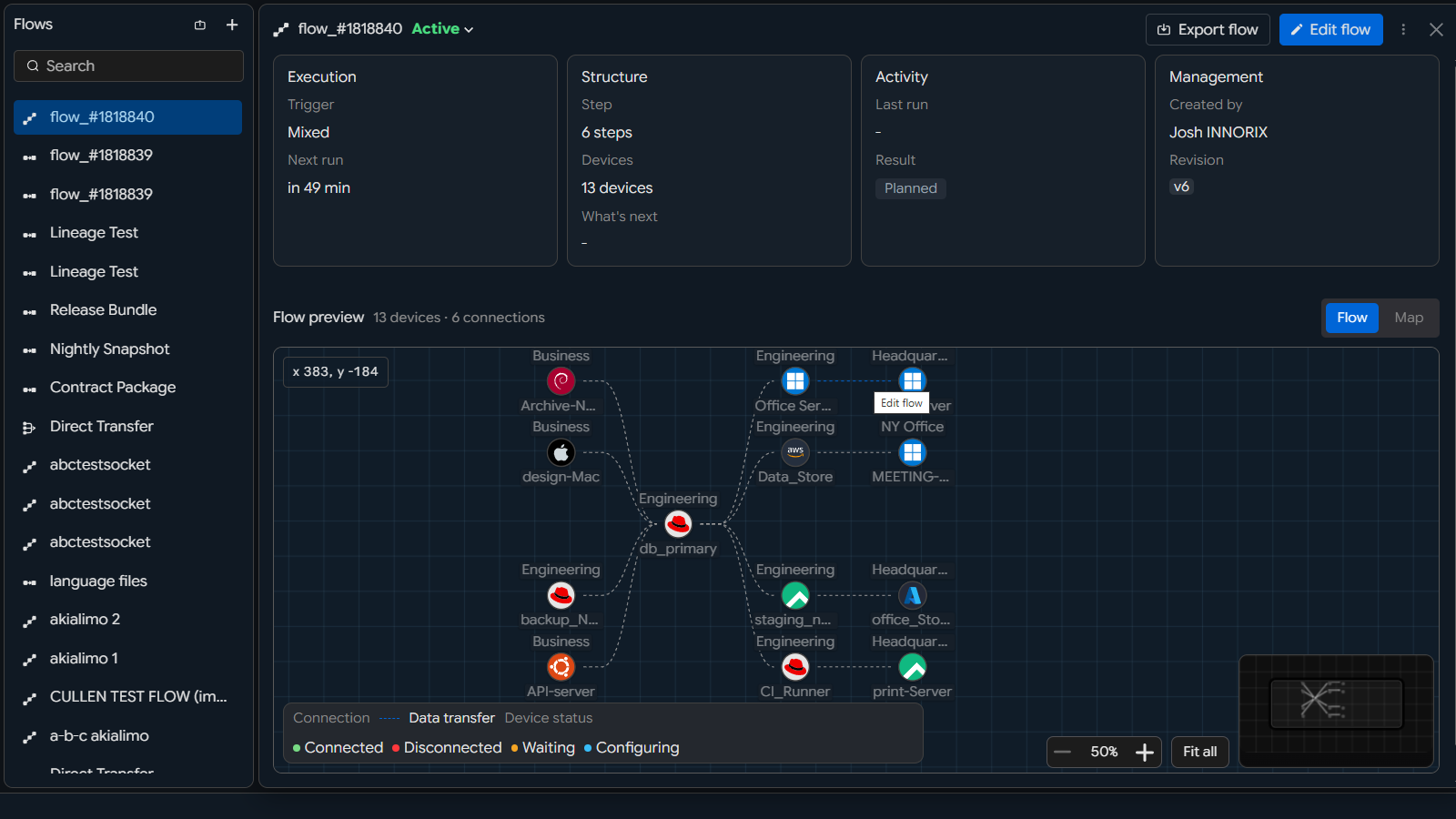
Image-4-2

PreviousAutomate Your TransferNextMonitor Your Transfers

On this page

  • Connect Devices & Design the Workflow
  • Run the Workflow