
Quick
Developers, small projects
One workspace to connect,
transfer and automate
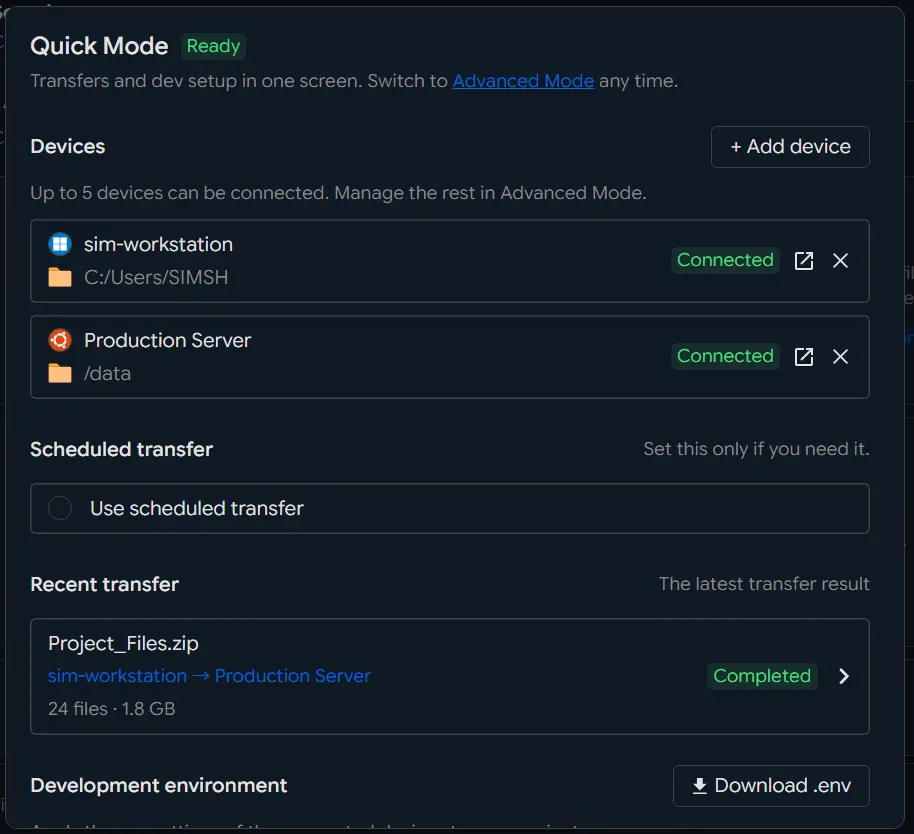
Connect Windows, Linux and macOS devices, then browse and move files on them from here. Drag and drop, recurring transfers on a schedule, and development against the API, MCP and Builder all happen on the one screen.
More ways to work with Quick
Find what you need in the developer center, connect an AI through MCP, or compose the feature in the transfer builder. The Quick live demo is the real product, open to anyone.
Developer Center
API reference, SDKs and sample code for wiring file transfer into your own application or service.
Open the developer centerINNORIX MCP
Let ChatGPT, Claude or Gemini ask for a transfer, then follow what it is doing and how it ended.
Connect MCPTransfer Builder
Pick the transfer features and settings you need and take away a configuration and sample code you can apply straight off.
Use the transfer builderQuick Live Demo
No install and nothing to set up: try transfers and automation on the real Quick screens.
Try the Quick live demo