
Integrate monday.com Monitoring
Overview
You can configure a monday.com integration to automatically create board items based on file transfer events.
Once configured, whenever a selected event occurs—such as Transfer Started, Transfer Completed, Device Connected, or Device Disconnected—a new item is automatically created on the specified monday.com board.
The overall process consists of the following steps:
① Generate a monday.com API Token → ② Identify the Target Board ID → ③ Configure the Integration in the Product
Prerequisites
Before you begin, verify the following requirements.
| Item | Description |
|---|---|
| monday.com Account | A monday.com account with permission to access and edit the target board is required. The API Token inherits the permissions of the account that generated it. |
| Target Board | Prepare the monday.com board where items will be created. |
| Network | The environment where the product is installed must allow outbound HTTPS communication to api.monday.com (port 443). |
Generate a monday.com API Token
To create items in monday.com, generate a personal API Token.
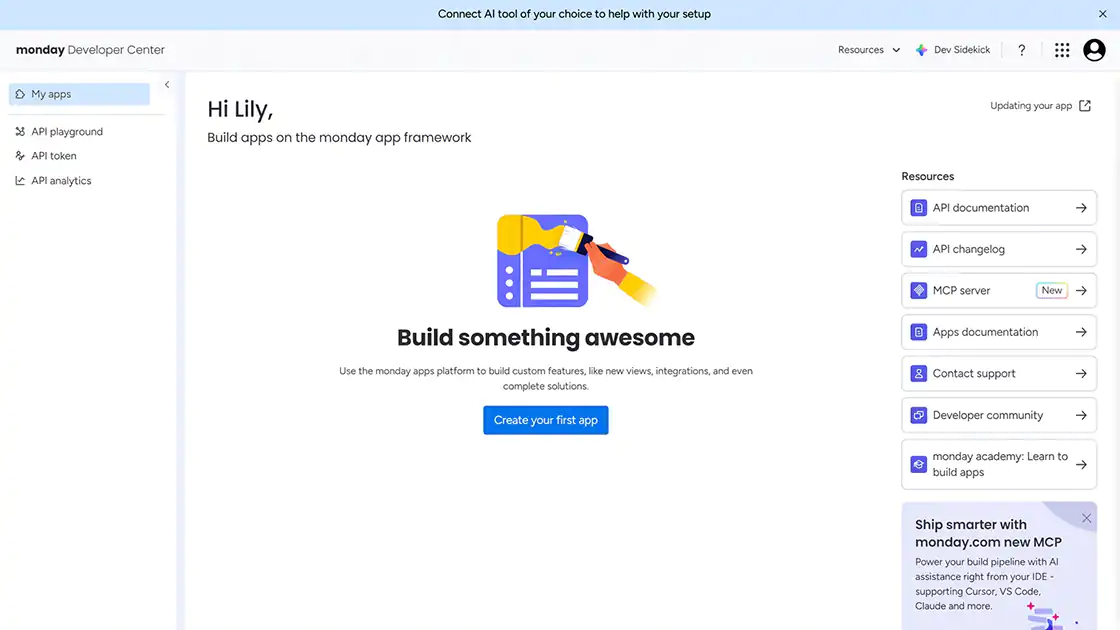
Step 1. Open the Developer Center
Click your profile picture in the upper-right corner and select Developers.
The Developer Center opens in a new browser tab.
Step 2. Copy the API Token
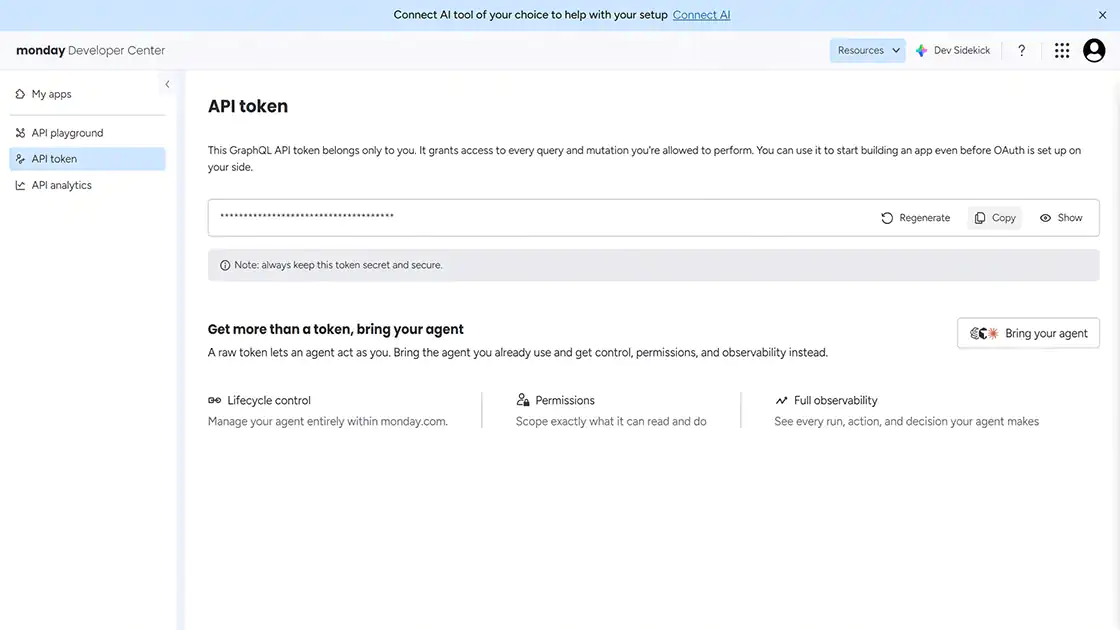
Under My Access Tokens (or API Token), click Show and copy the displayed token.
The token typically begins with eyJ, as it is provided in JWT format.
Treat this token like a password because it inherits your account permissions. Do not expose it in public repositories or external documentation.
If the token is compromised, click Regenerate in the Developer Center to invalidate the existing token and generate a new one.
Verification
✔ The API Token has been located in the Developer Center.
✔ The API Token has been copied and stored securely.
Identify the Target Board ID
Identify the Board ID of the board where items will be created.
Step 1. Find the Board ID
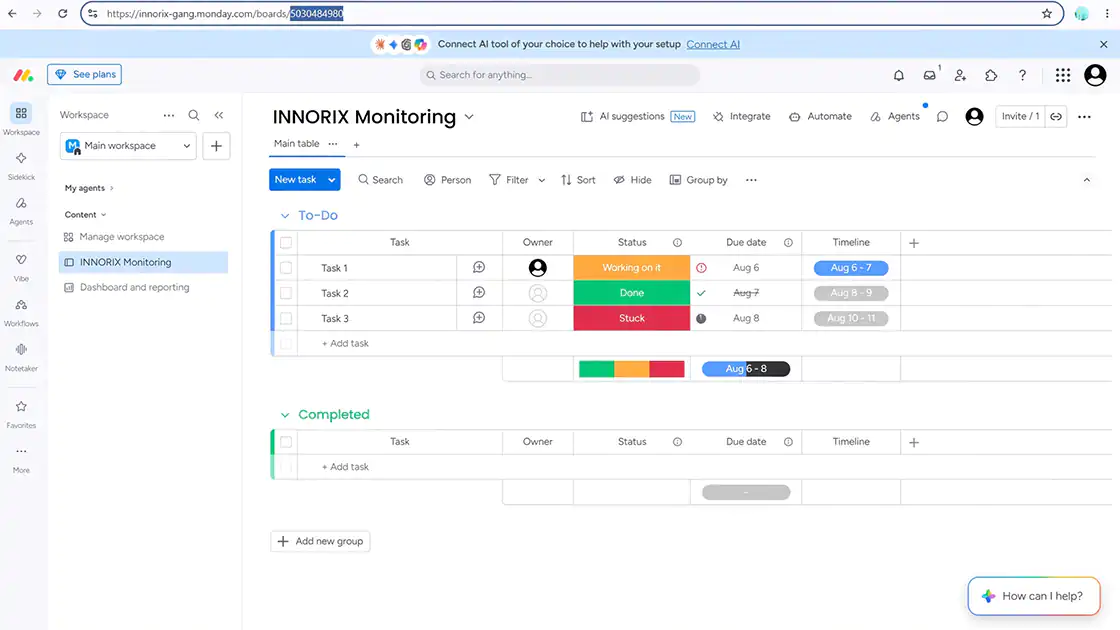
Open the target board.
The numeric value immediately following /boards/ in the browser URL is the Board ID.
Verification
✔ The target Board ID has been identified.
Configure the monday.com Integration
Enter the generated API Token and Board ID into the product configuration.
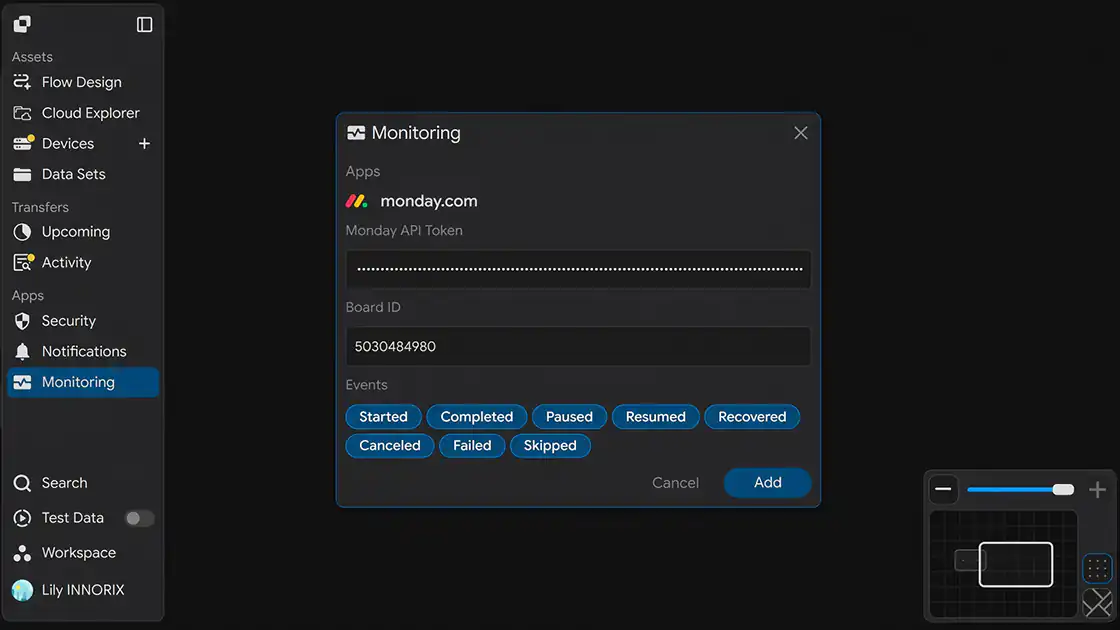
When you open the Monitoring configuration page, the following screen is displayed.
Step 1. Enter the Monday API Token
Enter the API Token copied in the "Generate a monday.com API Token" section into the Monday API Token field.
Step 2. Enter the Board ID
Enter the Board ID identified in the "Identify the Target Board ID" section into the Board ID field.
Step 3. Select Events
Select the events to monitor.
Multiple events can be selected. Items are created in monday.com only when the selected events occur.
| Event | Trigger |
|---|---|
| Transfer Started | When a Transfer begins. |
| Transfer Completed | When a Transfer completes successfully. |
| Transfer Paused | When a Transfer is paused. |
| Transfer Recovered | When a Transfer automatically resumes after an interruption or failure. |
| Device Connected | When a device connects. |
| Device Disconnected | When a device disconnects. |
Step 4. Save the Configuration
After completing the configuration, click Add to save the integration.
Verification
✔ The Monday API Token has been entered.
✔ The Board ID has been entered.
✔ The monitoring events have been selected.
Verify the Integration
Verify that the integration is operating correctly.
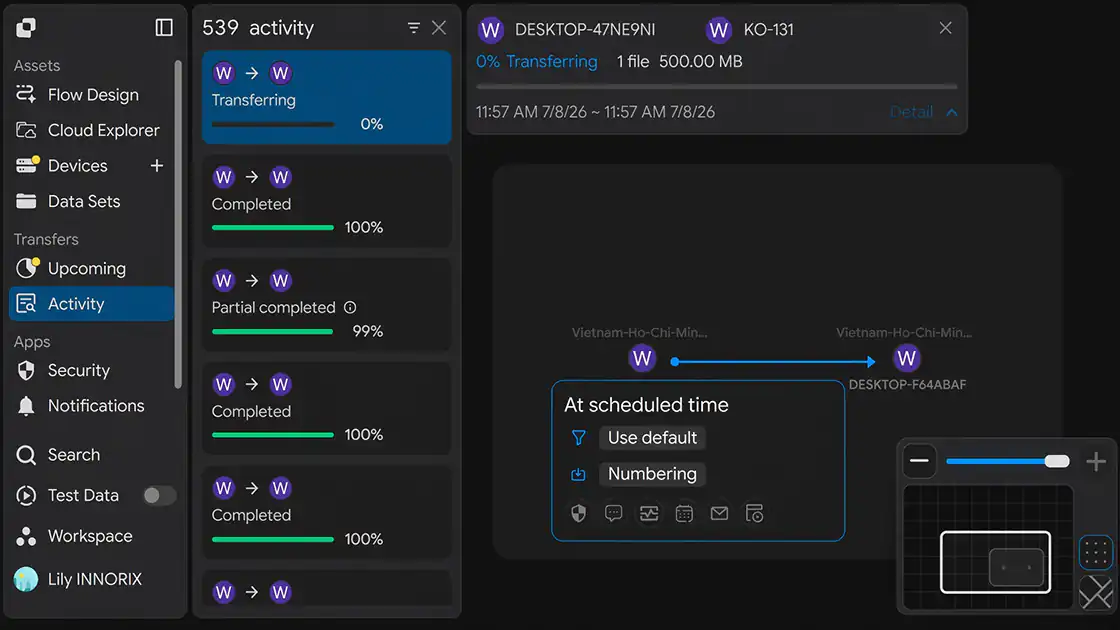
Step 1. Generate a Test Event
Start a Transfer or trigger one of the selected monitoring events.
Step 2. Verify the monday.com Board
Open the specified monday.com board and verify that a new item has been created.
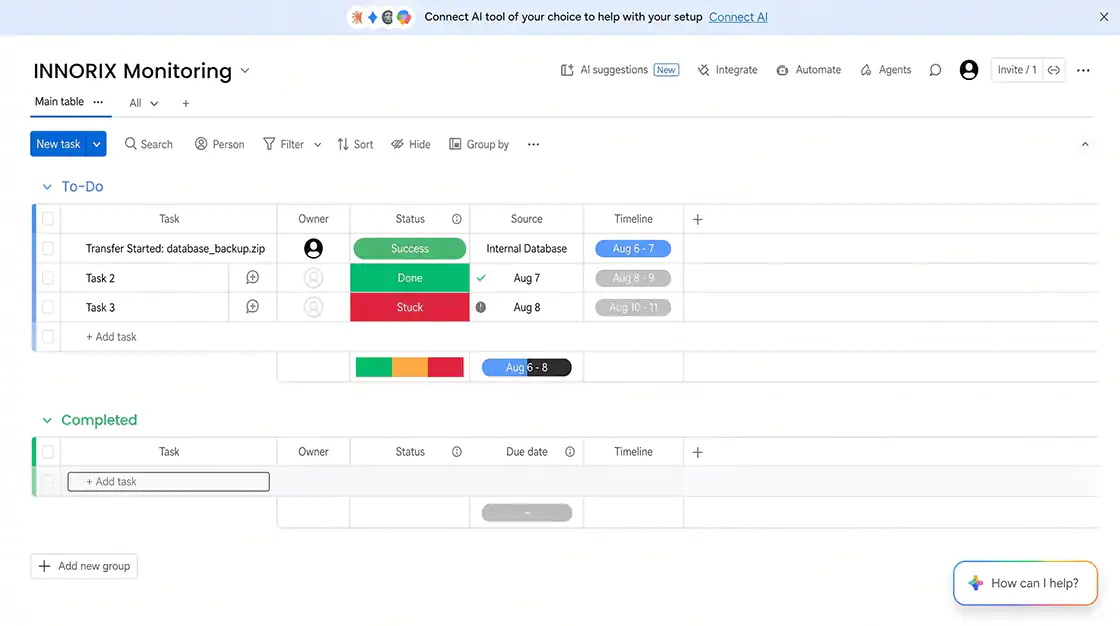
Verification
✔ A new item has been created on the monday.com board.
✔ The generated event has been recorded successfully.
Configuration Complete
After the configuration is saved, the integration becomes active.
From this point forward, whenever one of the selected events occurs, a new item is automatically created on the specified monday.com board.
Troubleshooting
| Issue | Verification |
|---|---|
| Items are not created | Verify that the Monday API Token and Board ID are correct and contain no leading or trailing spaces. |
| Authentication error (401) | Verify that the API Token is valid and has not been invalidated by regeneration. |
| Permission error | Verify that the account used to generate the API Token has permission to access and edit the target board. |
| Board not found | Verify that the Board ID matches the numeric value following /boards/ in the board URL. |
| Integration fails in a restricted network | Verify that outbound HTTPS communication to api.monday.com (port 443) is allowed through the firewall or proxy. |