
INNORIX EX
Reliably transfer everything from one massive file to millions of files.
From a single large file to massive numbers of small files, multi-level folders, and datasets containing files of different sizes.
INNORIX EX handles transfers so users can upload and download files through the web in the same consistent way, regardless of file size or file count.

FILE SCALE
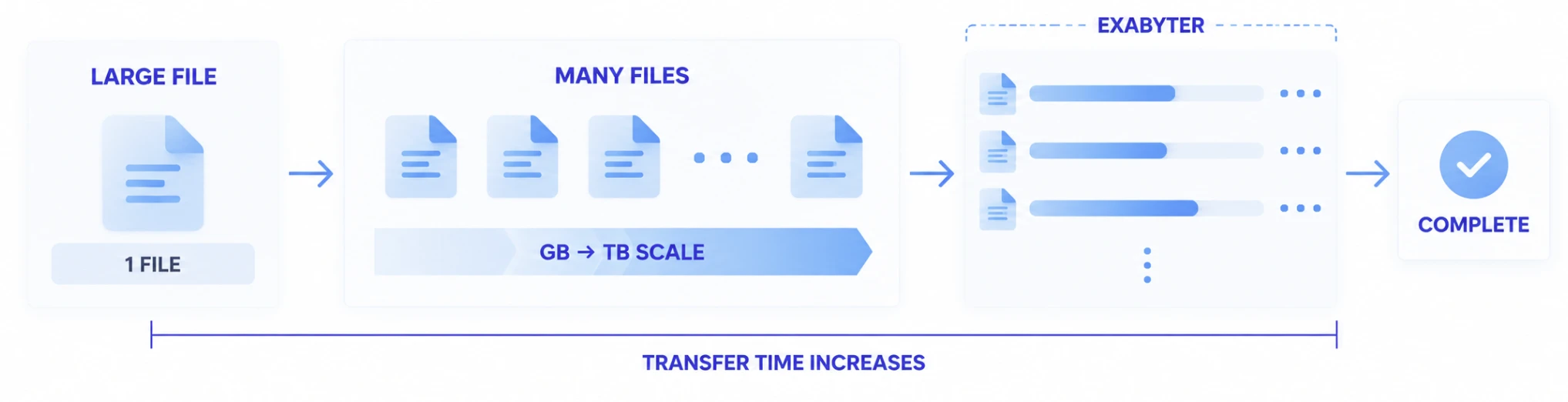
Larger files and more files create different transfer challenges.
The scale of web file transfer is not determined by total data volume alone.
As a single file grows from tens or hundreds of gigabytes into the terabyte range, the transfer runs longer and becomes more likely to encounter network changes or connection interruptions. Restarting the entire transfer after every failure also becomes increasingly costly as the file grows.
On the other hand, even when total data volume is the same, a dataset made up of tens or hundreds of thousands of small files requires repeated operations to open, process, and track each file. As file count increases, overhead from per-file processing, I/O, requests and responses, and Transfer State management can affect total completion time.
INNORIX EX handles large files and massive file sets according to their different characteristics while providing users with one consistent web file transfer experience.
LARGE FILE TRANSFER
The larger the file, the more important it is to keep the transfer moving to completion.
With small files, retransmitting after a connection problem may not be particularly costly. The situation changes when files of tens of gigabytes or more are uploaded or downloaded over long periods.
The longer a transfer runs, the more likely it is to encounter variables such as switching between Wi-Fi and wired networks, VPN connection changes, or temporary communication failures. If a file that has already been transferring for a long time must restart from the beginning, network Traffic and server resources are consumed again along with the user's time.
INNORIX EX handles a large file as one long-running Transfer. It maintains transfer progress and is designed to continue toward completion even when issues occur during the transfer.
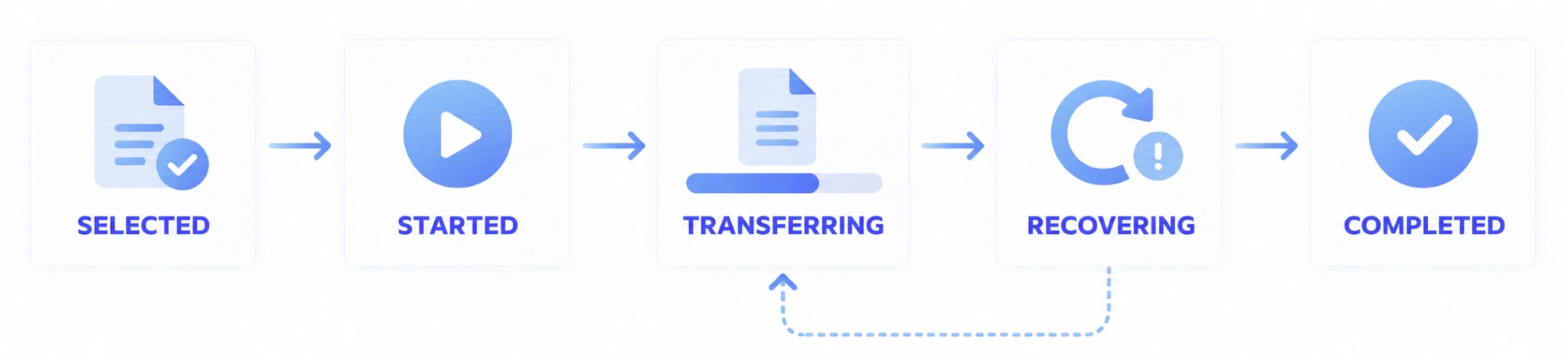
With large files, completion matters more than a fast start.
Selecting a file and starting an upload are only part of a large-file transfer.
In real business workflows, the entire sequence below needs to remain one continuous Transfer.

As files grow larger, preserving data that has already been delivered and reaching actual completion matters more than simply starting the transfer quickly.
RESUME & RECOVERY
Continue from where the transfer stopped.
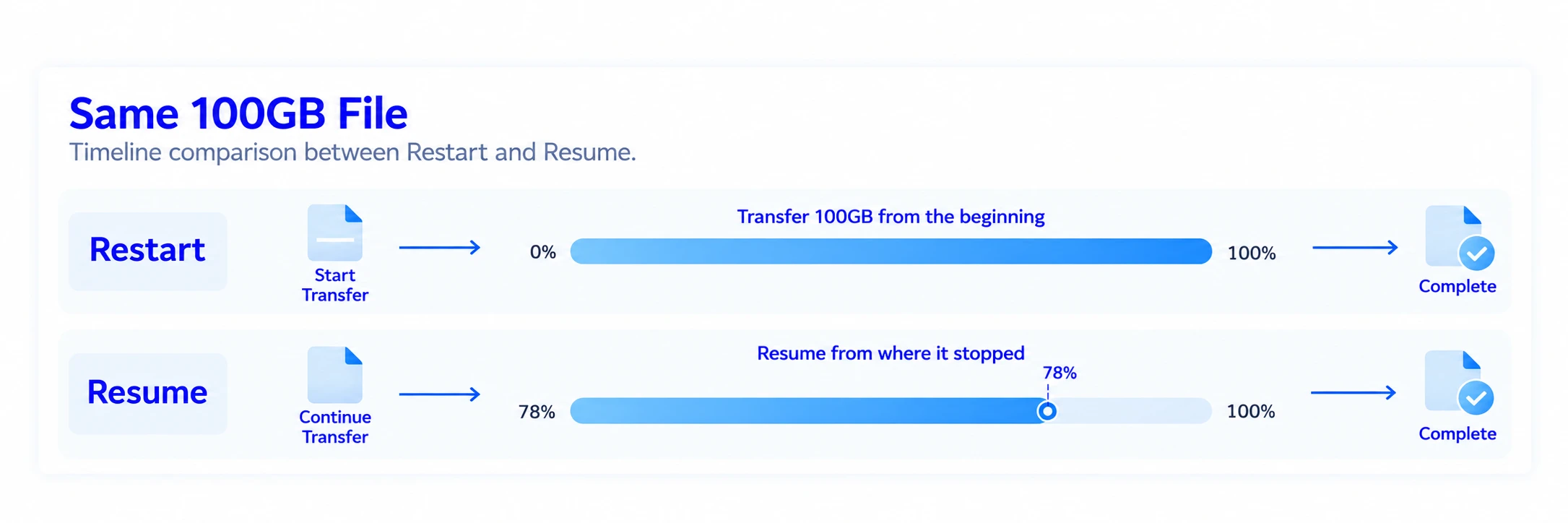
A temporary network interruption during a large-file transfer should not require retransmitting data that has already been delivered.
INNORIX EX maintains the state of an active Transfer and enables an interrupted transfer to continue. This helps prevent a temporary connection problem during a long-running transfer from becoming a complete file retransmission.

The entire file, including the 78% already delivered, must be transferred again.

The completed portion is preserved and only the remaining data continues.
Environments where Resume matters
- Large files of tens of gigabytes or more
- Long-running Upload / Download
- File transfer over the public internet
- Users who move between networks or experience network changes
- Business data where restarting from the beginning is costly
- Workflows that must complete within a limited time window
MANY SMALL FILES
Massive numbers of small files must be handled differently from one large file.
A single 100GB file and one million 100KB files may appear similar when looking only at total data volume.
But transferring many files introduces repeated operations: checking, opening, and closing each file, processing per-file state, performing storage I/O, and executing repeated transfer operations. As individual files become smaller, these repeated operations can account for a larger share of the total work than the data itself.
For mass file transfer, simply increasing network bandwidth is therefore not enough to reduce total completion time.
INNORIX EX does not treat massive file sets merely as repeated individual web requests. It is designed to process the entire dataset as a single Transfer job.
The same 100GB can represent very different transfer workloads.
| Data Composition | Primary Transfer Challenge |
|---|---|
| 1 × 100GB | Long-running connection, Resume, consistent Throughput |
| 100 × 1GB | Progress and completion management across multiple files |
| 100,000 × 1MB | Repeated processing, I/O, and per-file Overhead |
| 1,000,000 × 100KB | Massive File Count and total completion time |
MASS FILE TRANSFER
Handle growing file counts as one transfer job.
Real enterprise data often consists of massive numbers of files: research results, image datasets, manufacturing inspection data, logs, and document repositories.
Instead of forcing users to manage countless individual Upload operations, INNORIX EX processes selected files and folders as a single transfer unit so users can track overall progress and complete the dataset as one job.
Manage the complete job, not every individual file.
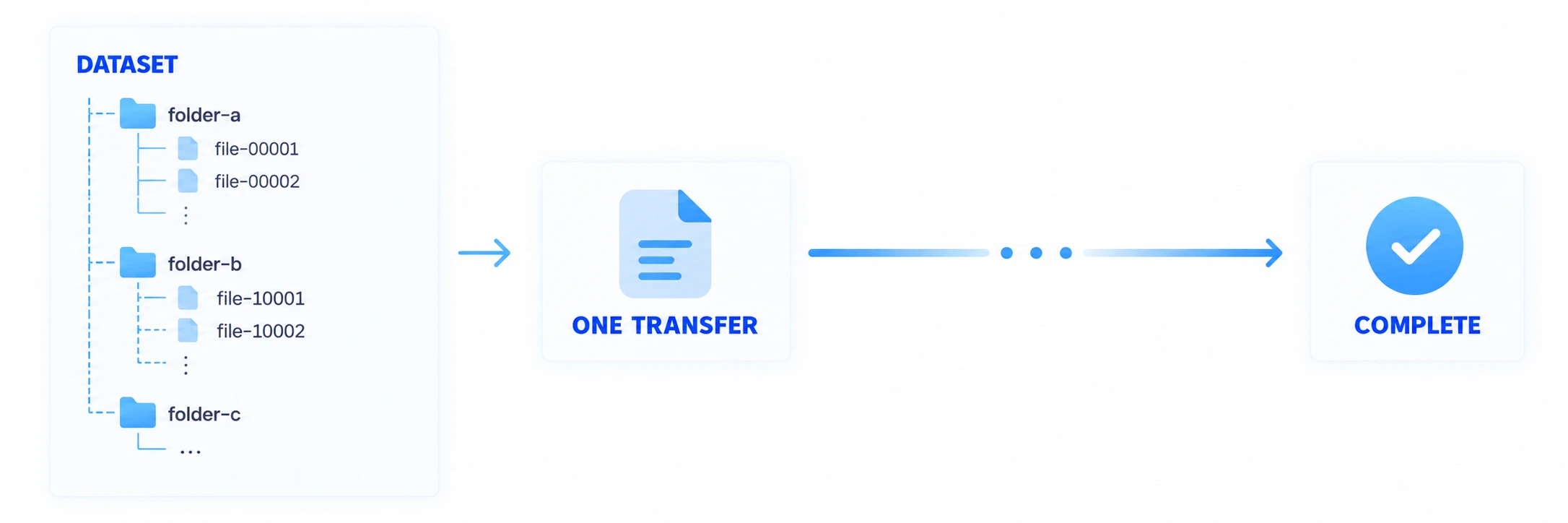
In environments where large file sets must be delivered as one business unit, users can transfer the entire dataset without starting and managing every individual file separately.
FOLDER TRANSFER
Transfer data together with its folder structure.
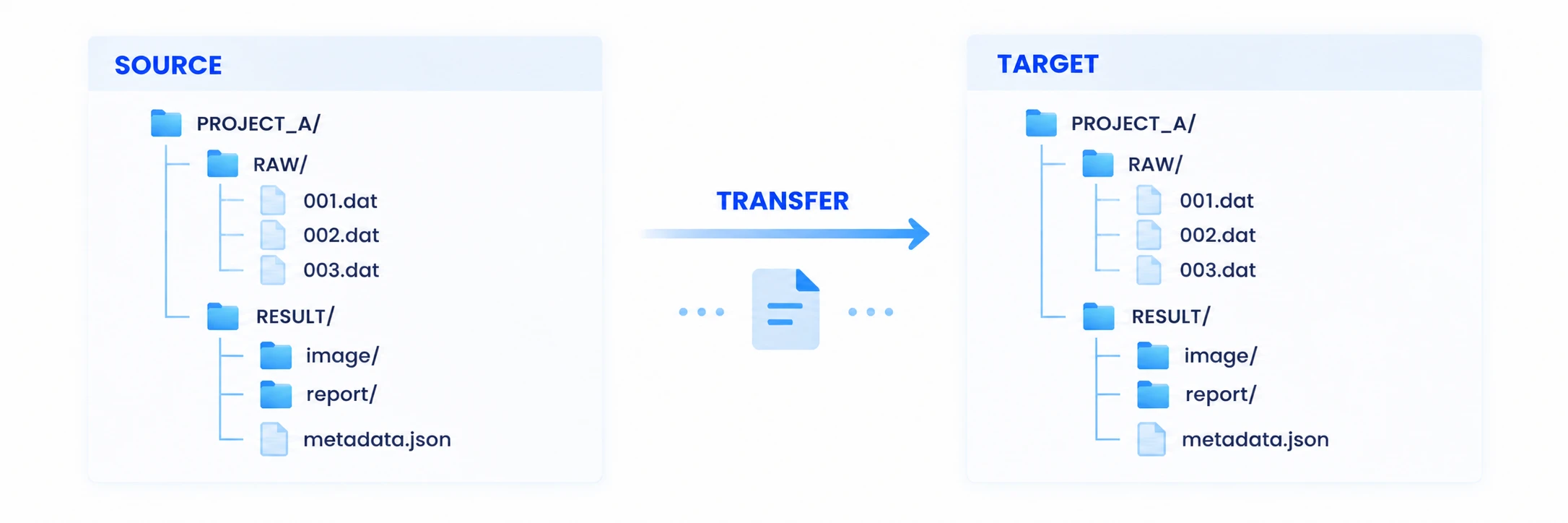
In real-world workflows, where a file is located within a folder hierarchy can be part of the data itself.
Project directories, research datasets, production projects, and design data may contain multiple levels of folders. If only individual files are transferred, their original relationships may need to be reconstructed afterward.
INNORIX EX allows users to select data by folder and transfer the files and subfolder structure together, so datasets made up of many files can be delivered without requiring users to reorganize them.
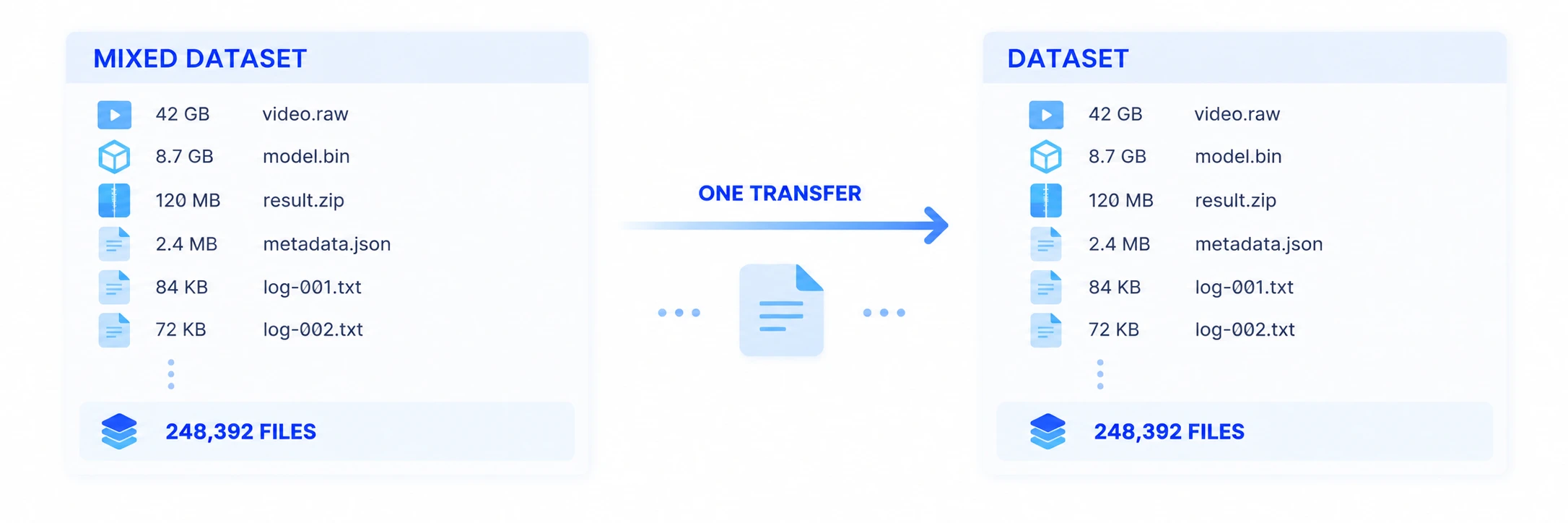
MIXED DATASETS
Transfer files of different sizes together as one dataset.
Enterprise data rarely consists exclusively of either large files or small files.
A single project may contain a video file tens of gigabytes in size, small Metadata files, thousands of images, and result documents. An AI Dataset may combine huge numbers of small data files with large Archives, while manufacturing data may group small measurement files generated by equipment with large inspection images as one unit of work.
Even when files of different sizes and types are mixed together, INNORIX EX allows users to select and deliver them as one dataset without choosing a separate transfer method for each file.
UPLOAD & DOWNLOAD
Provide the same transfer experience for uploads and downloads.
Large-scale data does not move through the web in only one direction.
Users may need to upload large files from the web to a server or storage system, while processed results or files generated by other systems may need to be delivered back to users as downloads.
INNORIX EX can support both Upload and Download with large and massive file sets, persistent progress, Resume, and completion in mind.
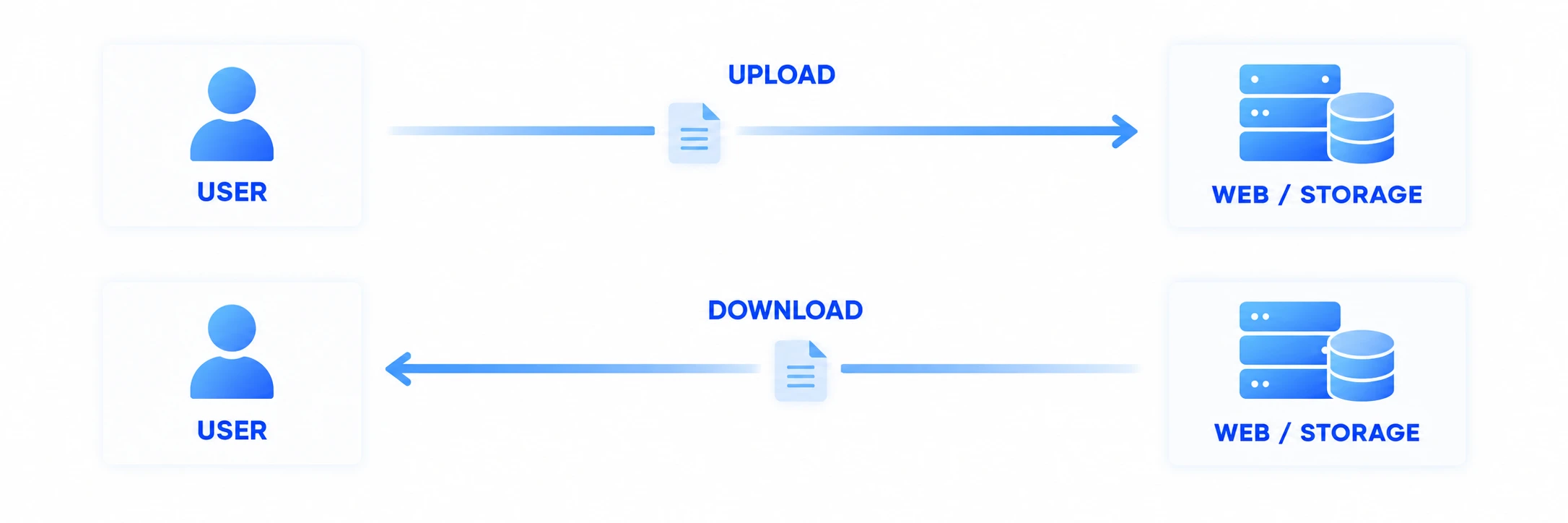
This allows the same Transfer approach to be used not only for submission and collection, but also for result delivery and large-scale content distribution.
COMPLETION
Manage the transfer until delivery is complete—not just until the user selects a file.
In enterprise workflows, what matters is not whether someone clicked the Upload button, but whether the required data actually reached its destination.
Especially with large files and massive file sets, a partially completed dataset or an interrupted long-running transfer cannot be treated as a completed job.
INNORIX EX can process file delivery based not only on individual file progress but on the state of the entire Transfer, allowing downstream business logic to continue based on the actual transfer result.
DATA IN REAL WORK
Large files and massive file sets already exist within the same workflows.
AI & Data
Transfer data over the web where large files and massive numbers of small files coexist, including Datasets, training data, models, and result files.
Research & Science
Transfer folder-based research datasets containing large raw data, experimental results, images, and Metadata.
Media
Transfer high-resolution source video together with the images, audio, subtitles, Metadata, and related files that make up a production project.
Manufacturing
Transfer large inspection images together with the many measurement files, logs, and result data continuously generated by equipment.
Enterprise & Public Services
Upload and download large submissions, numerous attachments and folders, and processed results through web-based business systems.
RELATED
Look beyond file scale to the transfer environment.
High-Speed & Reliable Transfer
Learn how long distance, Latency, Packet Loss, and network changes affect the actual completion time of large-file transfers.
続きを読むWeb Service at Scale
See how services and File Traffic can be handled when many users upload and download large files at the same time.
続きを読むArchitecture & Integration
Learn how large and mass file transfer can be designed for existing Web Server environments and Object Storage.
続きを読むFrequently Asked Questions
Can I upload large files through a web browser?
Yes. Web services can be configured to upload files of tens of gigabytes or more. As files grow larger, capabilities such as persistent state for long-running Transfers, Resume after interruption, and actual completion verification become more important than a simple HTTP request. The practical file scale should be evaluated together with the system, storage, and network environment.
Can TB-scale files be transferred over the web?
A large-file transfer environment can be designed to handle TB-scale files by treating each large file as a long-running Transfer. Specific verified scale and performance should be evaluated based on actual test results and the deployment environment.
Can massive numbers of small files be transferred like one large file?
Massive numbers of small files introduce additional Overhead from per-file processing, I/O, and repeated operations that does not exist in the same way with one large file. INNORIX EX processes large collections of files and folders at the dataset Transfer level so users do not have to manage each individual upload separately.
Can I upload or download an entire folder through the web?
Yes. Multi-level folders and the files they contain can be selected and delivered as a single dataset. This allows web-based transfer of data where directory structure itself is important, such as project or research datasets.
If the internet connection drops during a large-file transfer, do I have to start over?
An interrupted Transfer can maintain its progress and continue from the interrupted point instead of retransmitting all data that has already been delivered. For long-running transfers, Resume and Recovery are important for reducing retransmitted data and total completion time.
Can large and small files be transferred together?
Yes. Even when a dataset contains both large files and massive numbers of small files, they can be handled as one Transfer job without requiring a separate transfer method for each file.
Can INNORIX EX be used for large downloads as well as uploads?
Yes. Upload and Download can both be designed around large and massive file transfer, persistent progress, Resume, and completion. This makes the same Transfer approach applicable not only to file submission but also to result delivery and large-scale content distribution.
大容量、大量ファイル転送をご検討中ですか?
ファイルサイズとファイル数に適した、安定したWeb転送構成の検討をサポートします。
- 単一の大容量ファイルから数百万件のファイルまでのレビュー
- 中断箇所から再開できる構成のご提案
- フォルダ構造や複合データセットに関するガイダンス