
Extreme Reliability
Exacoola is designed to transfer files reliably even in extreme environments.
Unnamed devices in industrial settings operates under diverse environments and conditions.
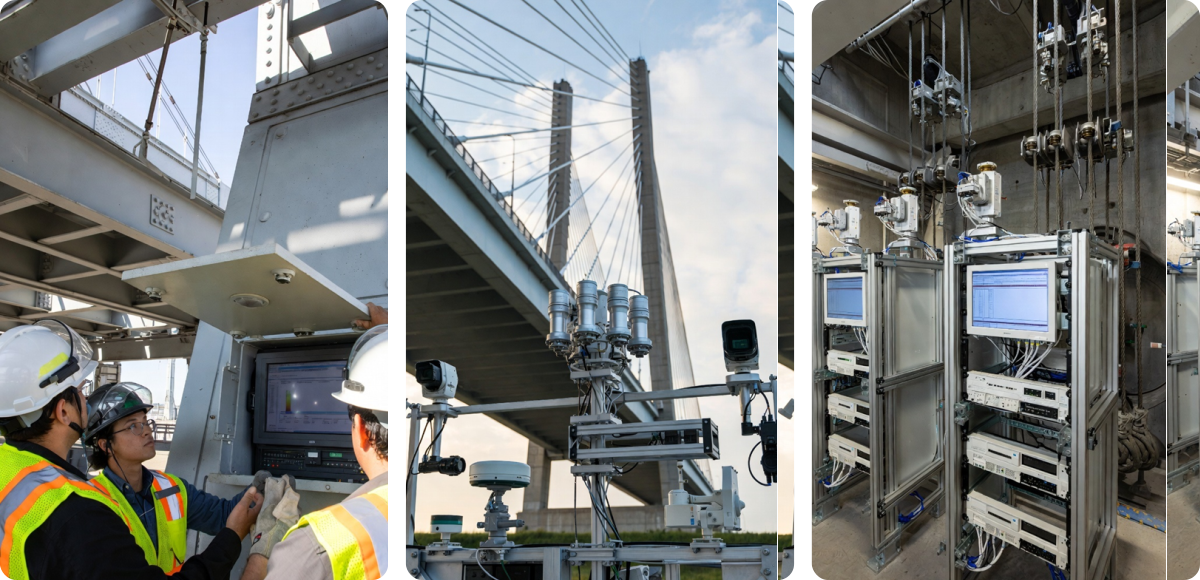
In these environments, network outages and instability multiple times a day are common.
| Environment | Situations |
|---|---|
| Mobile Networks | Repeated connection instability, increased packet loss when moving between cells, and temporary signal strength degradation. |
| Wi-Fi-Based Networks | Long connection delays and intermittent disconnections, and signal weakening due to interference (microwave ovens, other APs). |
| Military Communication Networks | Temporary connection interruptions due to security policies, and temporary interruptions in transfer paths during equipment maintenance. |
| Industrial Leased Lines | Signal instability due to environmental factors (temperature changes, mechanical vibrations), and disconnections during equipment maintenance. |
| Long-Distance Transfer (Overseas Circuits) | Segmental disconnections within transfer paths, a sharp decline in connection quality due to increased RTT, and transfer delays during international backbone congestion. |
| Low Bandwidth | Excessive transfer latency and delays, and packet drops during momentary traffic increases. |
| Concentrated Traffic at Specific Time Zones | Degraded connection quality due to bottlenecks, and insufficient bandwidth due to increased usage in the same section. |
| Shared Networks (Mixed Internal VLANs) | Overall quality degradation due to traffic overload from a specific device, and broadcast storms. |
| VPN-Based Connections | Slow transfer speeds due to encryption overhead, and momentary disconnections during session renegotiation. |
| Cloud-Internal Integration Environments | Instability in transfer speeds due to Internet path congestion, and session resets due to changes in cloud security policies. |
| High-Density AP Environments (Cafes, Airports, etc.) | AP saturation due to excessive connections, resulting in increased packet interference and retransfers. |
| Satellite Networks | Transfer delays due to high latency (RTT 500-700ms). Increased failure rates, signal weakening due to weather changes |
| Submarine Cable Path-Dependent Sections | Long detour delays and sudden reductions in international network speeds when certain countries or sections experience outages |
| IoT, Embedded Device Networks | Limited connection maintenance due to low-spec equipment, frequent disconnections due to power-saving mode |
Even in such situations, Exacoola detects the interruption, automatically restores the transfer, and completes the transfer.
Additionally, in sites with poor power quality, devices may suddenly reboot.
| Environment | Situations | Reasons |
|---|---|---|
| Areas with poor power quality | Momentary voltage sags | Equipment operation instability and increased disk I/O errors are possible. |
| Environments with large equipment concentrations | Cycle breaker trips due to overload | Simultaneous power-offs on multiple devices → impact the entire operating environment. |
| Operations without UPSs | Immediate shutdowns during power outages | Unexpected shutdowns pose a risk of data corruption. |
| Generator power switching environments | Transfer interruptions during UPS-to-mains transfers | Output instability at the moment of power-off, resulting in packet drops and transfer interruptions. |
| Generator operating environments | Momentary power outages due to generator startup delays | Failure to automatically switch over can result in power failures for several seconds. |
| Aged electrical equipment | Intermittent voltage spikes | Equipment circuit damage and shortened power supply (PSU) lifespan. |
| Mobile equipment operation | Unexpected shutdowns due to low battery voltage | File corruption may occur if data is shut down during writes. |
| Continuous industrial equipment operation environments | System freezes and restarts due to equipment performance degradation | Prolonged load accumulation can lead to PSU overheating and output instability. |
| Factory automation lines | Power resets for some devices during work processes | Production processes can be interrupted due to sensor and PLC failures. |
| High-humidity/heat environments | Shutdowns due to power supply overheating | Cooling fan and heatsink performance degradation → risk of continuous reboots. |
| Hours of excessive power use | Peak power momentary voltage drops | Frequently occurs when shared inlet lines in industrial complexes and offices are overloaded. |
| Lightning and lightning damage areas | Momentary surges (thunder surges) | Insufficient surge protectors and SPDs can lead to immediate equipment damage. |
| Temporary power use (outdoors/construction sites) | Noise intrusion due to poor grounding | Communication failures, equipment malfunctions, and increased Ethernet CRC errors. |
| Low-cost power strips/non-certified wiring | Risk of overheating, sparks, and short circuits | Including the risk of sudden shutdowns and fires. |
Even if the device reboots, Exacoola will immediately resume transfer from where it left off.
Even in data centers known for their reliability, various types of failures still occur.
| Potential issues | Situations | Reasons |
|---|---|---|
| Session timeout | During large transfers, the session is forcibly terminated due to a connection failure. | Long-term session maintenance failures → Increased retransfers, reduced throughput |
| Full retransfers | If a partial transfer fails, the entire file must be retransferred, as resumption is not possible. | Increased TCP retransfers → Bottlenecks and response delays |
| Congestion control delay | Transfer speeds drop sharply due to TCP congestion control. | More severe in multi-hop environments when RTT increases |
| Keep-alive failures | Session unexpectedly terminates due to lost connection-keep messages. | Also impacts firewall idle timeouts and QoS drops |
| Increased packet retransfers | Network delays and congestion cause retransfers to accumulate, drastically reducing speeds. | Frequent on WAN/international lines |
| Switch buffer memory drops | Sudden increases in traffic cause buffers to fill and packets to be dropped. | Very common during large burst transfers |
| NIC interrupt delay | CPU-bound NIC processing slows down → transfer delays. | Interrupt coalescing, NUMA impact |
| LACP/link flaps | Disconnections lasting several milliseconds to several seconds occur due to LACP or link status changes. | Sudden transfer loss due to bonding failover |
| Firewall revalidation hold | Specific ports and sessions are suddenly disconnected during transfers. | Policy changes/session aging/IPS detection impact |
| NIC duplex mismatch | Increased packet collisions due to half-duplex/full-duplex mismatches. | Significantly reduced quality, although speeds are displayed normally |
| DNS response delay | Connection setup delays or failures due to DNS latency. | Major impact on CDN/multi-site connections |
| Routing changes | Route changes cause RTT instability, resulting in a sudden drop in transfer speed. | Several seconds to minutes of impact during BGP convergence |
| Accounting/permission errors | Files are recognized as lost due to authentication failures. | Risk of complete operation interruption in case of AD/LDAP failure |
| Version compatibility errors | Transfers behave abnormally after a library/engine update. | Client-server version mismatch |
| Memory leaks | Memory gradually decreases due to prolonged operation → transfers are interrupted. | Common in environments with open sockets/long connections |
| Disk I/O bottlenecks | Increased random I/O reduces write/read speeds. | Significant slowdowns when SSD cache hits fail |
| RAID rebuilds | Transfer speeds decrease due to I/O loss during RAID recovery. Sudden decrease | Significant increase in response latency during rebuild |
| Storage locks/locks | Excessive concurrent access results in storage locks for a period of time. | Frequent crashes when using DB-file sharing |
| Locked file handles | File lock conflicts prevent read/write initiation. | Frequent when performing backups/background checks simultaneously |
| Metadata/journaling corruption | Block/metadata errors require I/O abort or recovery. | Downtime due to file system checks during reboots |
| QoS policy conflicts | Traffic shaping/limiting is applied, resulting in abnormally limited speeds. | Occurs when ISP/center policies change |
| MTU mismatch | Increased packet fragmentation → reduced transfer efficiency and increased loss. | Common in Jumbo Frame environments |
| Silent errors | CRC errors occur, but the software operates normally. | Data Integrity Threats (especially HPC/DB) |
| Background task contention | Snapshots, backups, and indexing compete for I/O resources. | Increased latency + plummeting throughput |
| Throttling | Security/traffic policies automatically adjust speeds. | Cumulative impact significant in long-term transfers |
| Control plane overload | Switch/firewall CPU overload due to high session processing. | Delayed management packet processing → Session drops |
No need to manually analyze all the causes of these failures. Exacoola automatically responds to various failures.
Even if file corruption or partial loss occurs, Exacoola automatically detects and restores it to its perfect state.
| Number of files/size | Impact of FTP failures | FTP corruption/loss potential | Exacoola |
|---|---|---|---|
| < 1GB / 10-100 files | Recoverable by retransferring the entire file from scratch. | Low - Integrity can be maintained | Auto-detection & Recovery |
| 1-50GB / 1,000-9,000 files | Increased retransfers, reduced performance, and restarts required if interrupted. | Medium - Some files may need to be retransferred | Auto-detection & Recovery |
| 50-500GB / 10,000-100,000 files | Only partial files may be successfully transferred / Increased frequency of verification failures. | High - Some files may be corrupted or missing | Auto-detection & Recovery |
| 500GB-several TB / 100,000-1,000,000 files | Only the error-prone sections are intermittently modified or omitted. | Very High - File content may be altered or some loss may be realistic | Auto-detection & Recovery |
Exacoola reliably transfers large files exceeding 10TB and 1,000,000 files.
Even with intentionally created obstacles, Exacoola completes the transfer, recording every step in detail.
| Artificial issues | Exacoola |
|---|---|
| The original file is deleted during the transfer. | Record the file as “Missing” and automatically proceed with the next file transfer. |
| Access permissions for the original file are removed during the transfer. | Record the file as “No permission” and automatically proceed with the next file transfer. |
| The original file is locked by another process during the transfer. | Record the file as “Locked” and automatically proceed with the next file transfer. |
| The original file is modified or overwritten during the transfer. | Record the file as “Changed” and automatically retransfer based on the most recent file. |
| The original file or its parent folder is moved or renamed during the transfer. | Record the file as “Missing” and automatically proceed with the next file transfer. |
| The target file is deleted during the transfer. | Automatically retransfer the target file from the beginning. |
| The target file or path is moved or changed during the transfer. | Record the file as “Missing” and automatically proceed with the next file transfer. |
| The target device runs out of disk space. | Wait until capacity is available on the target device and automatically resume transfer as soon as available. |
| Write permissions for the target path are removed in real time. | Record the file as “No permission” and automatically proceed with the next file transfer. |
| The target file is locked by another process. | Record the file as “Locked” and automatically proceed with the next file transfer. |
| The service is restarted during the transfer. | Automatically resume transfer after session recovery. |
| The firewall/ACL is immediately changed, blocking ports. | Automatically resume transfer after connection reestablishment. |
| The VPN/proxy is reconfigured midway. | Automatically resume transfer after connection stabilization. |
| The storage is unmounted and then reconnected. | Automatically resume transfer immediately after storage reconnection. |
| An automated script moves or deletes a file during the transfer. | Record the file as “Missing” and automatically proceed with the next file transfer. |
| Backup software takes over a file. | Record the file as “Locked” and automatically proceed with the next file transfer. |
| An incorrect policy is applied in real time, preventing writes to a specific path. | Record the file as “No permission” and automatically proceed with the next file transfer. |