

The Prelude of Explosive Data Traffic: An Extreme Load Scenario Where Over 1,000 Devices Simultaneously Generate Transfers#
An environment where simultaneous data requests from thousands of endpoints go beyond simple transfers and put pressure on network infrastructure.
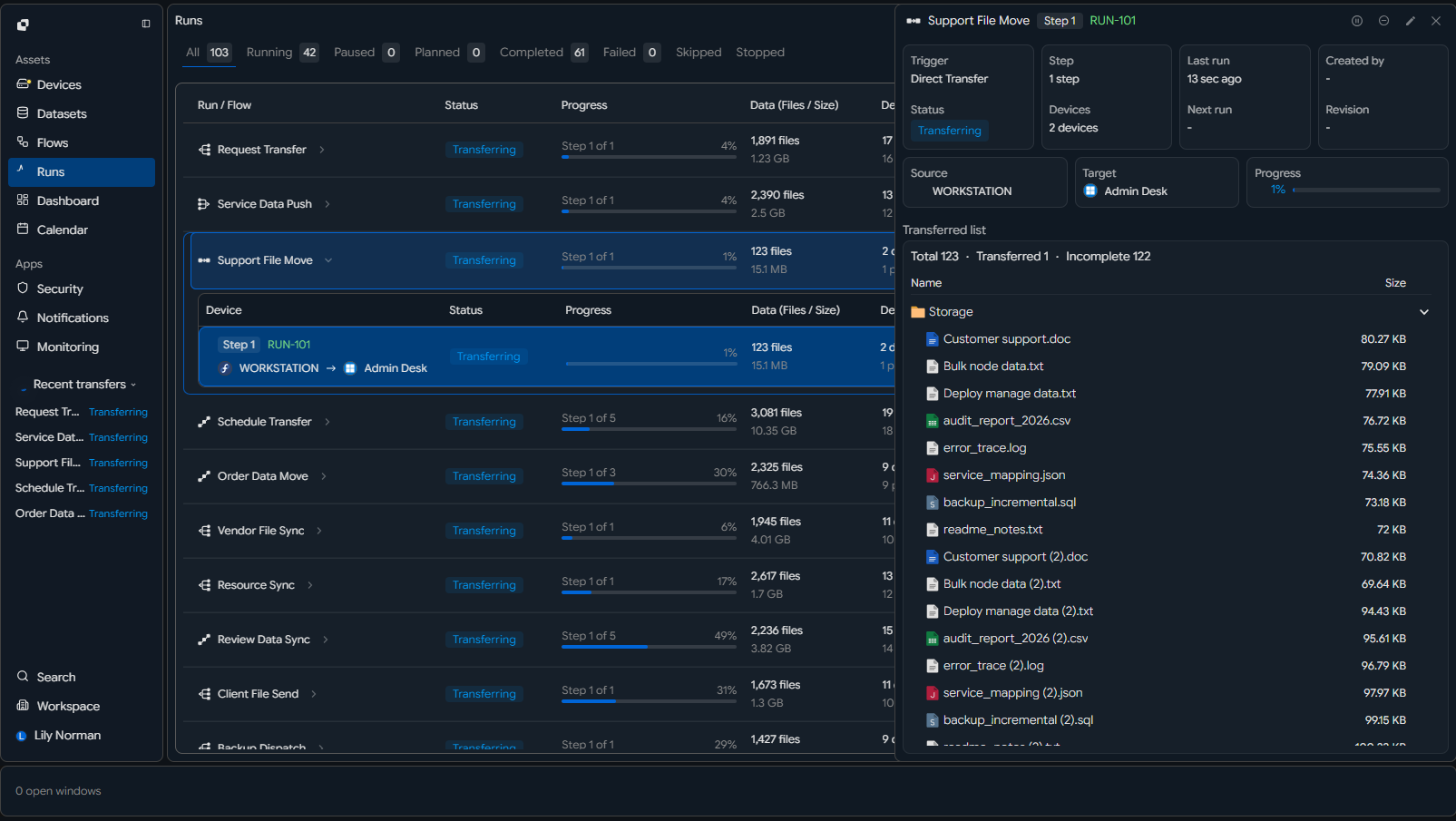 [Transfer Start UI] A large-scale device list screen in the management console where more than 1,000 endpoint devices are active in 'online' status, right before executing a bulk transfer command
| Item | Scale (Example) | Meaning | System/Network Impact |
|---|---|---|---|
| Number of Concurrent Devices | 1,000 ~ 5,000 nodes | Simultaneous multi-endpoint requests | Session explosion |
| Concurrent Transfer Sessions | 1,000+ Active Sessions | All devices transfer simultaneously | Connection management overload |
| Requests per Second | Thousands ~ tens of thousands/sec | Event-based simultaneous triggers | Server processing limit reached |
| Total Traffic Volume | Several Gbps ~ tens of Gbps | Aggregated data surge | Network congestion |
| Transfer Direction Structure | 1:N / N:1 / N:N mixed | Complex traffic patterns | Increased path complexity |
| Session Duration | Minutes ~ hours | Long-term concurrent 유지 | Accumulated resource burden |
| Traffic Pattern | Simultaneous start (Burst) | Instant peak load | CPU / memory spike |
| Test Environment | Distributed devices + simultaneous trigger | Real industrial scenario reproduction | Reproducible extreme condition |
Structural Limitations of Legacy Methods: Increasing Sessions Leads to System Collapse, Making Large-Scale Concurrent Transfers Impossible#
A fatal design flaw in legacy communication methods where exponential process creation causes memory exhaustion and server crashes.
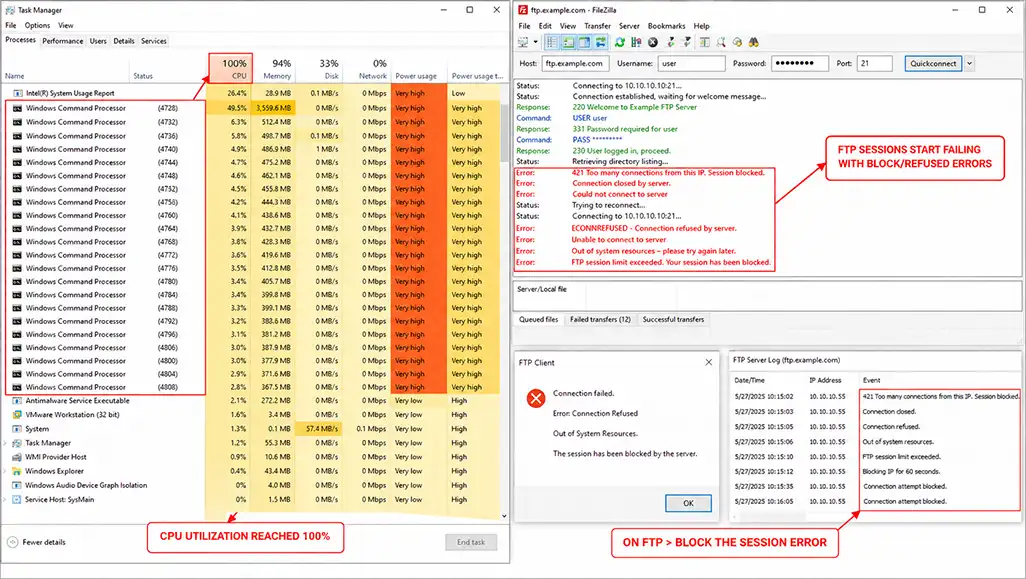 [OS Screen] A Windows Task Manager or Linux
 top screen showing massive thread/process duplication with CPU reaching 100%, along with 'Out of System Resources' or 'Connection Refused' messages
| Stage | Session Increase | System Behavior (Legacy) | Internal Change | Result |
|---|---|---|---|---|
| 1. Initial | 1 ~ 50 sessions | Normal processing | Stable processes/threads | Stable operation |
| 2. Mid-level | 50 ~ 200 sessions | Per-session process creation | Memory usage increases | Performance degradation begins |
| 3. High Load | 200 ~ 500 sessions | Rapid process increase | Context switching increases | CPU load rises |
| 4. Threshold Approach | 500 ~ 800 sessions | Thread/handle growth | Memory pressure intensifies | Response delay |
| 5. Threshold Exceeded | 800 ~ 1,000 sessions | Resource contention intensifies | Queue backlog / I/O wait | Processing failure state |
| 6. Resource Exhaustion | 1,000+ sessions | Memory/handle shortage | Allocation failure | Errors occur |
| 7. System Reaction | Overload state | Abnormal process termination | Session disconnection | Transfer interruption |
| 8. Final Result | Sustained load | System crash / restart | Total job loss | “Concurrent transfer impossible” |
Hybrid Control of Collection and Distribution: A High-Complexity Scenario Combining Direct Device Transfers and Centralized Transfers#
Technical flexibility to organically control complex transfer flows (1:N, N:N, N:1) with a single engine.
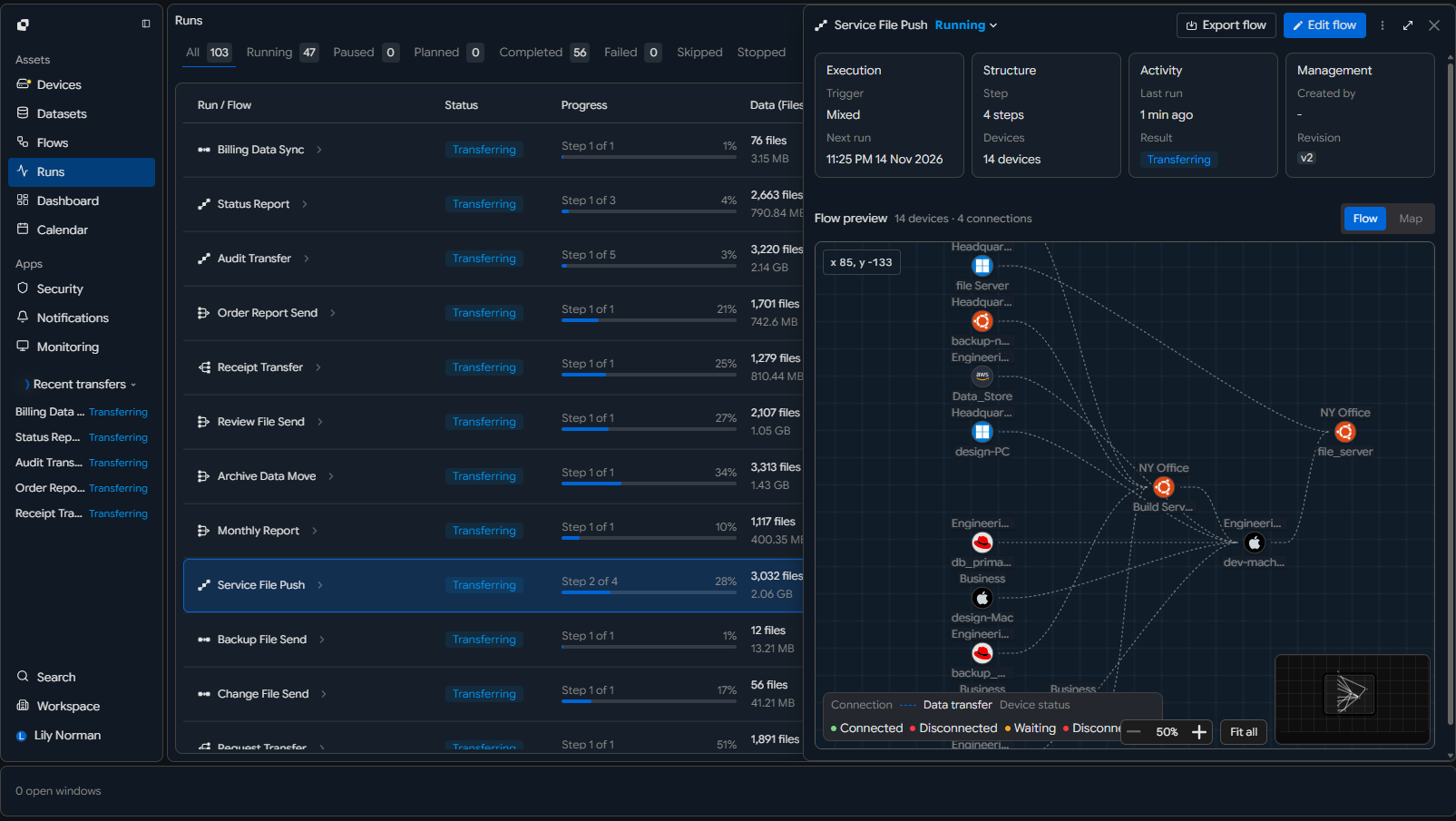 [Transfer Start UI] A unified dashboard showing simultaneous activation of 'Distribution' and 'Collection' commands with bidirectional data flows
| Transfer Structure | Legacy Method (Distributed Control) | Problem | INNORIX Control Method | Result |
|---|---|---|---|---|
| 1:N (one → many) | Individual session creation | Session explosion | Single stream distribution | Efficient scaling |
| N:1 (many → one) | Concurrent upload conflicts | Queue backlog / bottleneck | Unified collection stream | Stable reception |
| N:N (many ↔ many) | Explosive session growth | Uncontrollable | Hybrid centralized/distributed control | Full flow control |
| Transfer Path | Independent per session | No path optimization | Dynamic path management | Optimal routing |
| Session Management | Per-session state handling | High overhead | Integrated session control | Resource reduction |
| Data Flow | Fragmented multiple flows | Conflict and inefficiency | Simplified flow | Stability ensured |
| Scalability | Complex structure increase | Unmanageable | Simplified structure | Massive scalability |
| Final State | “More connections = more complexity” | Uncontrollable | “Acts as one even at scale” | Full control |
Near-Zero Resource Session Management: Even with 1,000 Sessions Running, the System Remains Calm#
An optimized design that intelligently schedules thousands of transfers without spawning separate processes.
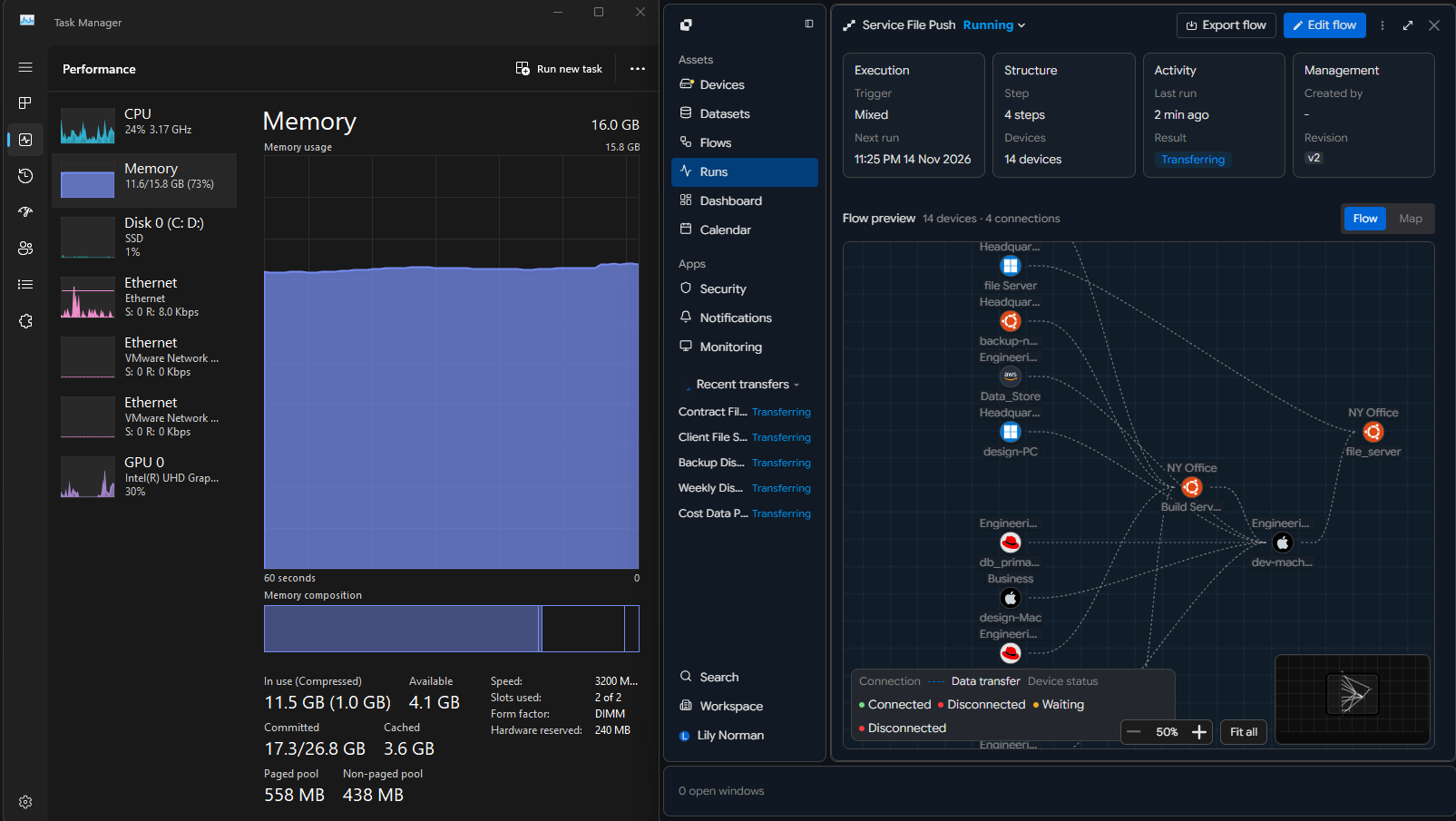 [Monitoring UI] INNORIX monitor showing 'Active Sessions: 1,000' while CPU/RAM graphs remain low and stable
| Item | Legacy Method (Session-Based) | Problem | INNORIX Method (Unified Scheduling) | Result |
|---|---|---|---|---|
| Session Handling | Per-session process/thread | Thousands of processes | Single engine scheduling | Minimal process count |
| CPU Usage | Increases with sessions | 80~100% usage | Maintained at low level | Stable operation |
| Memory Usage | Allocated per session | Cumulative increase | Shared structure minimal usage | Memory stability |
| Context Switching | Frequent thread switching | CPU overhead increase | Minimal switching | Maximum efficiency |
| Handles/Sockets | Increase with sessions | Exhaustion risk | Unified management | No exhaustion |
| I/O Processing | Per-session handling | Inefficient distribution | Unified I/O queue | Improved efficiency |
| System Responsiveness | Delayed under load | UI/service freeze | Real-time response | Stability ensured |
| Final State | “More sessions = heavier system” | Scaling limit | “Light even at scale” | Supports large-scale processing |
Intelligent Bandwidth Shaping: Preventing Monopolization and Ensuring Balanced Speed Across All Devices#
A system that dynamically adjusts session speeds to guarantee overall transfer completion.
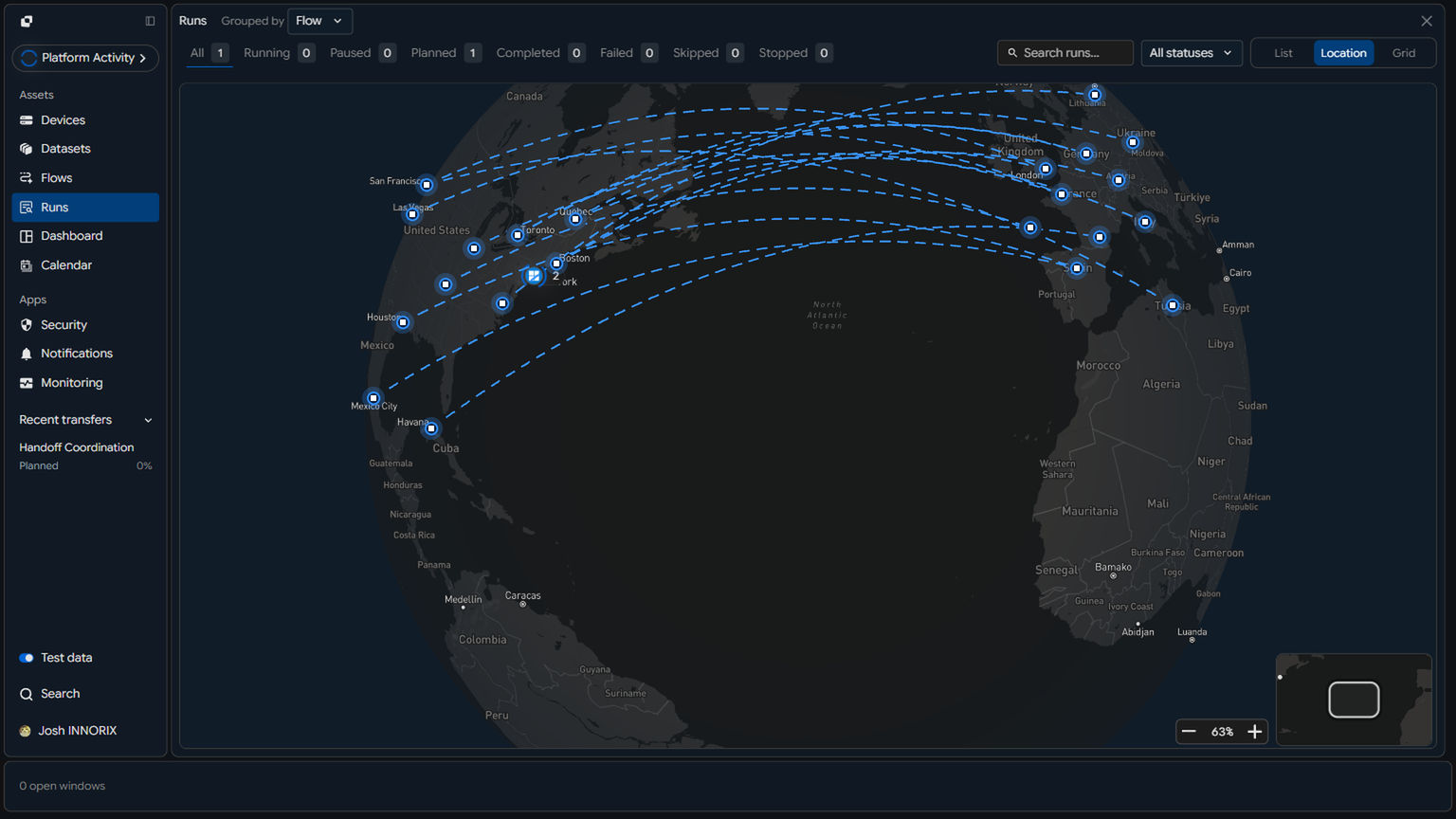 [Monitoring UI] Real-time graph showing evenly distributed transfer speeds across 1,000 devices within configured bandwidth
| Situation | Legacy Method (Uncontrolled) | Problem | INNORIX Control | Result |
|---|---|---|---|---|
| Initial Transfer | Some sessions dominate bandwidth | Device monopolization | Even distribution | Fair start |
| Traffic Increase | Competition intensifies | Speed imbalance | Real-time adjustment | Maintained balance |
| High Load | Strong sessions survive | Weak sessions stall | Minimum speed guarantee | Continuous transfer |
| Device Dominance | Bandwidth concentration | Efficiency drop | Auto throttling | Improved efficiency |
| Network Congestion | Packet collision increase | More retransmission | Congestion-aware distribution | Stability ensured |
| Session Gap | Huge speed differences | Completion imbalance | Minimized variance | Near-simultaneous completion |
| Total Throughput | Only 일부 fast | Bottleneck | Optimized total throughput | Maximum efficiency |
| Final Result | “Some fast, some stuck” | Inefficient | “All move fast together” | Balanced completion |
Uninterrupted Large-Scale Synchronization: Completing Transfers Across 1,000 Devices Without a Single Dropout#
Unmatched completion integrity that isolates failures in 일부 devices so they do not impact the overall process, ensuring perfect transfer completion down to the last device.
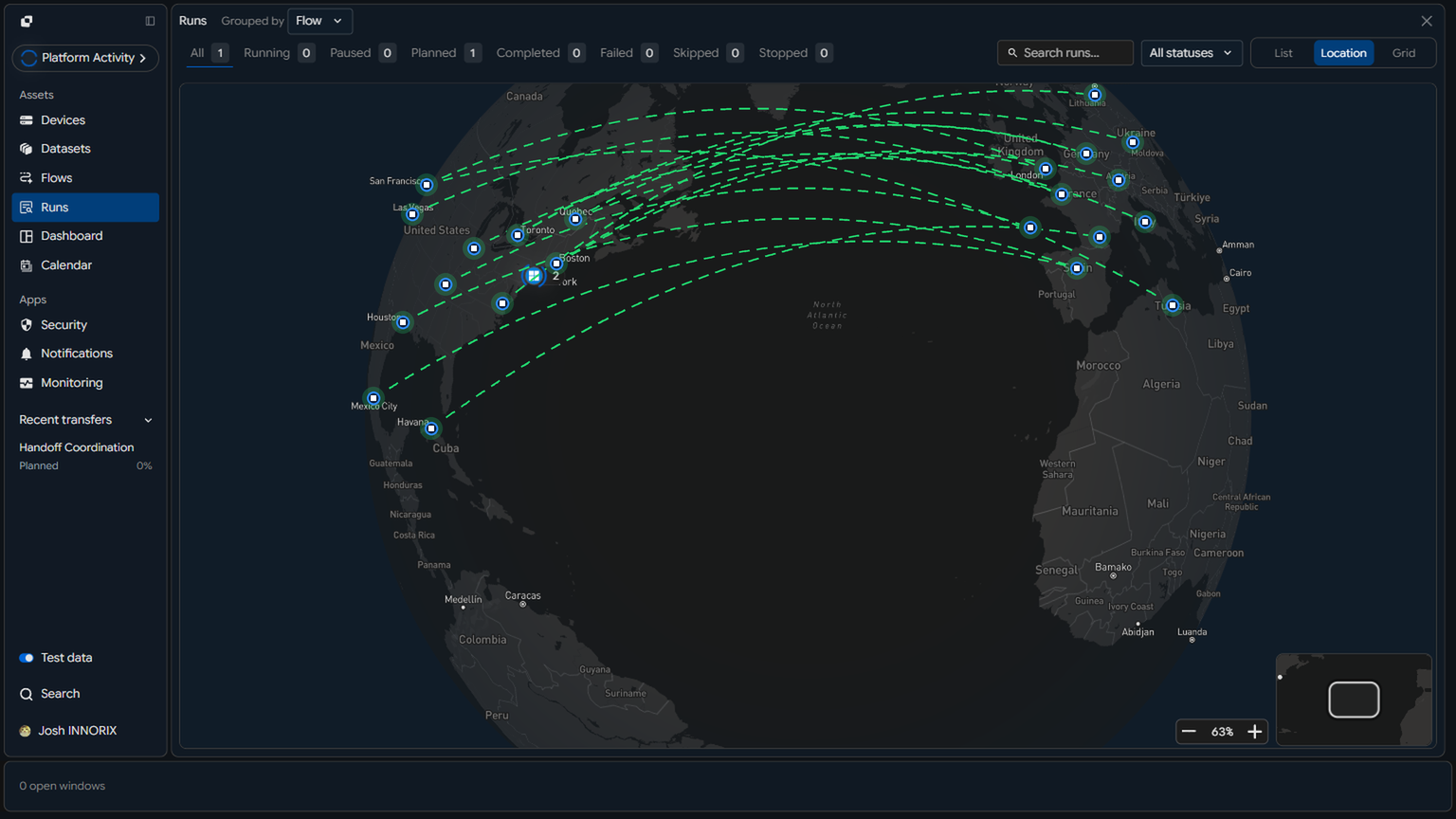 [Map/Topology] A global monitoring screen where some of the 1,000 nodes are marked in red (failure), while the remaining nodes continue in blue (transferring) without interruption (if necessary)
| Situation | Legacy Method | Problem | INNORIX Method | Result |
|---|---|---|---|---|
| Partial Device Failure | Affects entire flow | Interruption | Isolate failed device | Flow maintained |
| Slow Device | Overall completion delay | Bottleneck | Independent handling | Overall speed maintained |
| Unstable Node | Repeated failure | Retransmission accumulation | Partial correction | Minimal impact |
| Session Drop | Full restart required | Time loss | Auto recovery | Continuity maintained |
| Completion Timing | Large per-device variance | Complexity | Synchronized completion | Batch completion |
| Large Scale | Partial omissions occur | Difficult to verify | Real-time tracking | No loss |
| Operation | Manual recovery | Human intervention | Auto retry + unified control | Unmanned |
| Final Result | “Some fail” | Incomplete | “All 1,000 complete” | Full synchronization |
Completion of Enterprise Transfer: Zero Human Intervention Through Massive Connectivity and Full Automation#
A system that proves infinite scalability by autonomously controlling all transfer conditions.
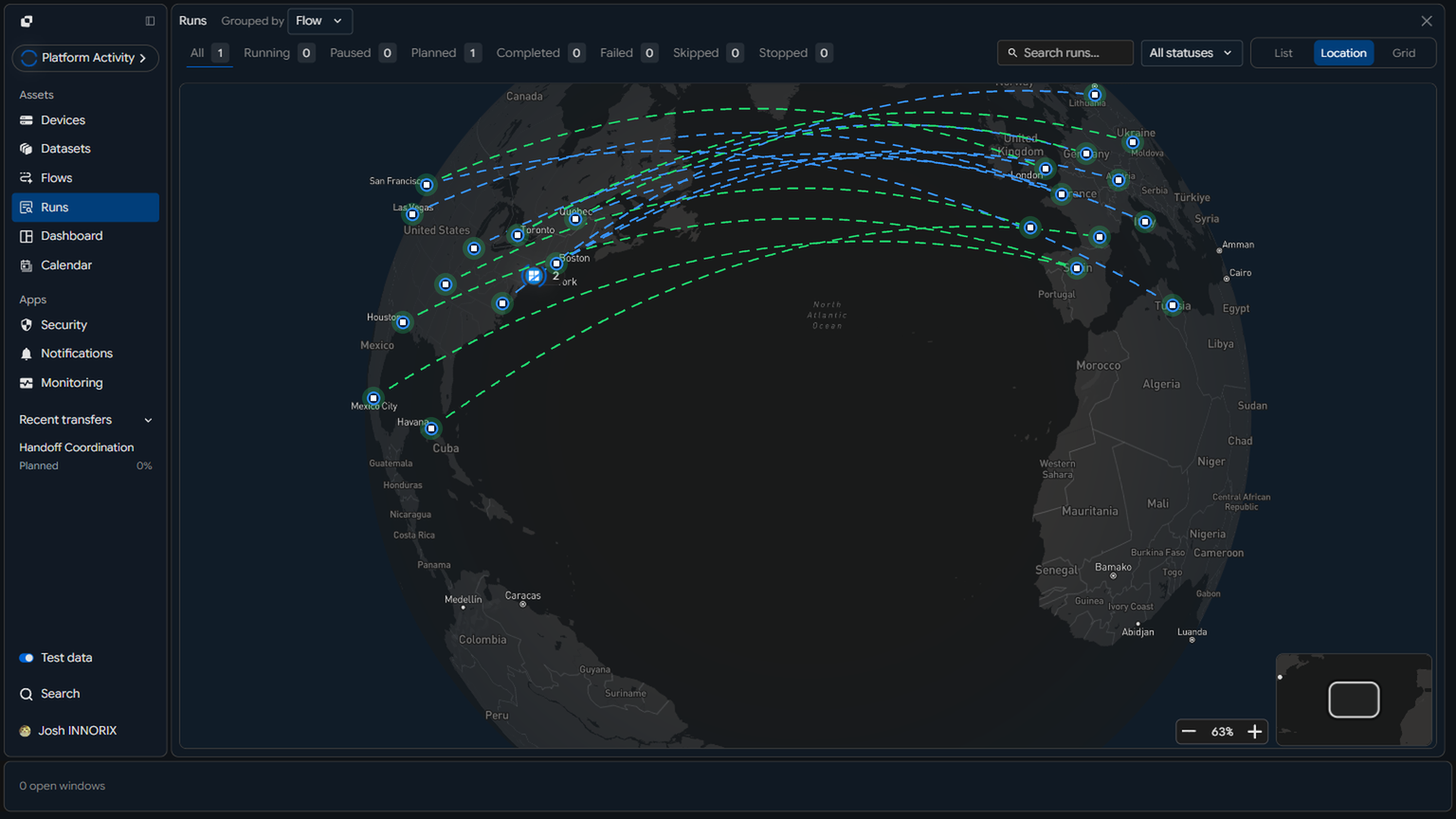 [Result UI] Final report showing 'Transfer Completed', 'Success: 1,000 / Fail: 0' with integrity verification popup
| Item | Legacy Method | Limitation | INNORIX Automation | Result |
|---|---|---|---|---|
| Transfer Start | Manual | Possible omission | Policy-based automation | Fully automatic |
| Monitoring | Manual | No real-time response possible | Real-time detection | Immediate response |
| Failure Handling | Manual intervention | Delay / human error | Auto recovery | No interruption |
| Session Management | Per-session manual | Increased complexity | Unified control | Simplified |
| Speed Control | Manual | Hard to optimize | Auto bandwidth control | Optimal performance |
| Completion Check | Per-device result verification | Missing risk | Full automatic validation | Full accuracy |
| Operations | Continuous human input | Increased labor costs | Unattended operation possible | Cost reduction |
| Scalability | Hard to manage | Limitations | Independent of scale | Infinite scaling |
| Final State | “Needs management” | Inefficient | “Runs itself” | Fully automated |