
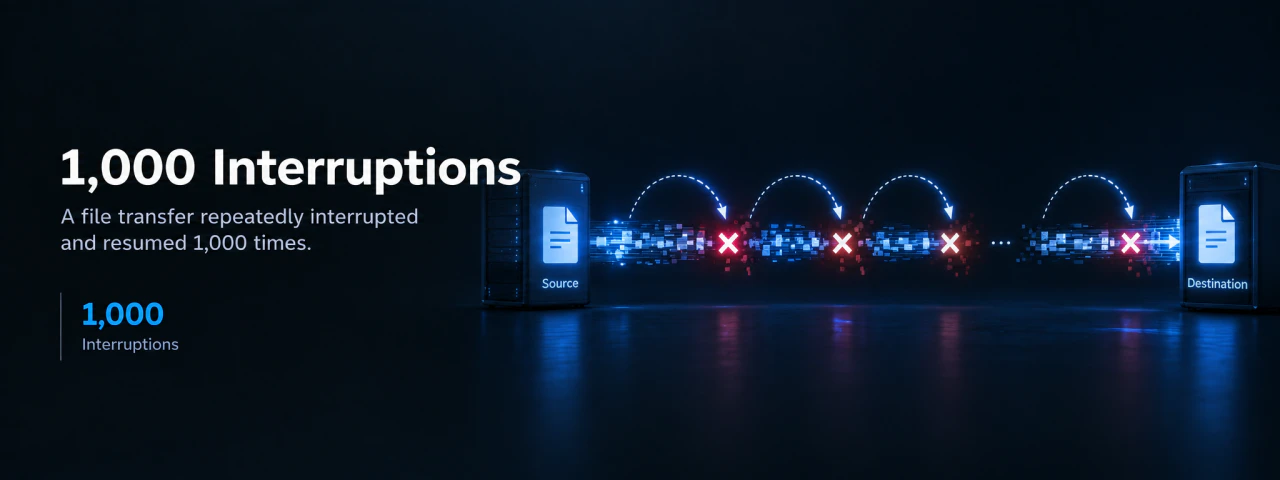
The Beginning of a Designed Disaster: An Extreme Transfer Environment with 1,000 Forced Shutdowns Repeated#
A harsh test design that faithfully reproduces the worst real-world conditions where network disconnections and power outages are routine.
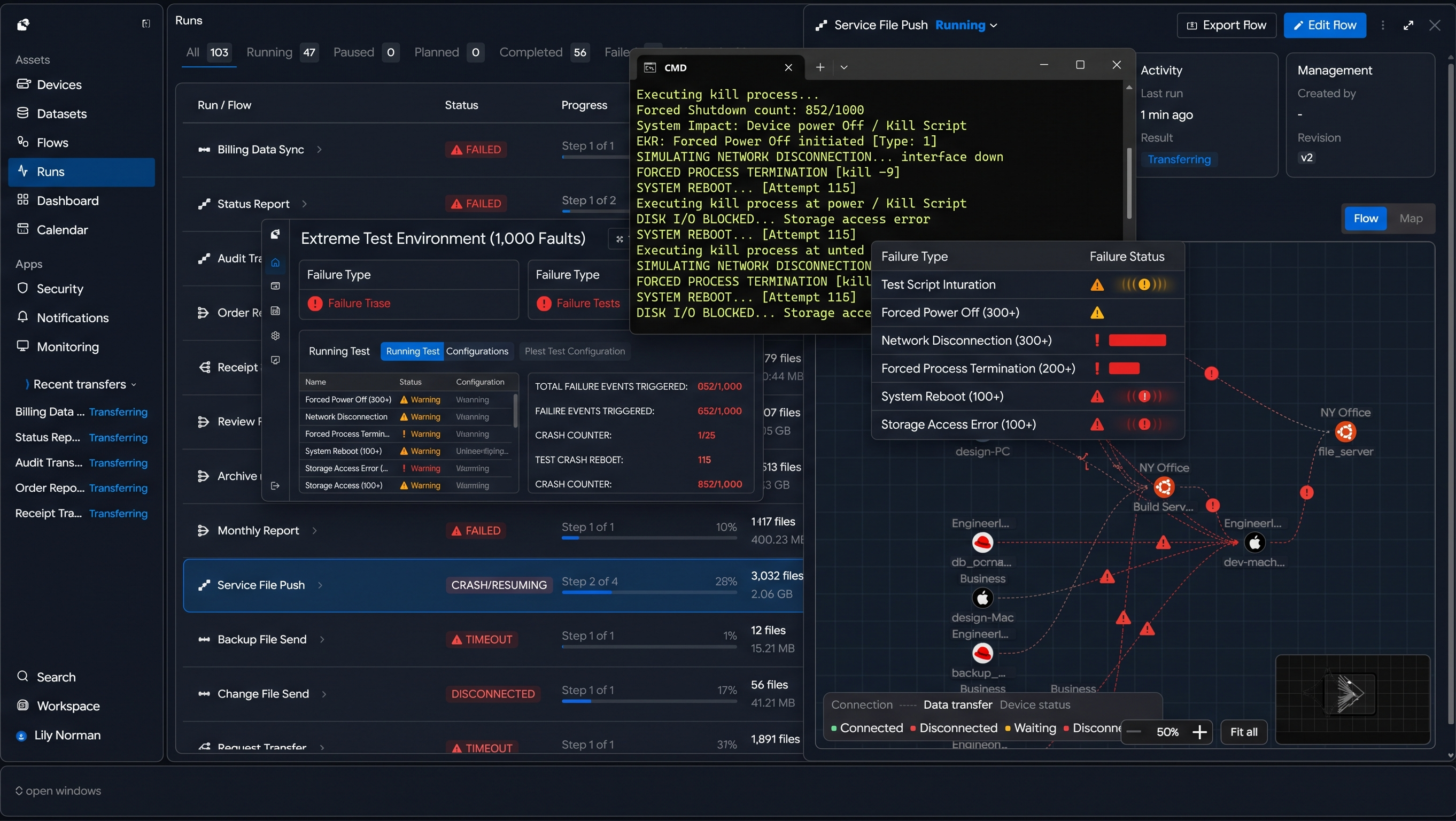 A screen showing an automated script running in a command window (CMD) that forcibly powers off the transfer device or kills the process
| Failure Type | Occurrence Method | Repetition Count | Real-World Equivalent Scenario | System Impact |
|---|---|---|---|---|
| Forced Power Off | Device power Off / Kill Script execution | 300+ | Unstable industrial equipment power / sudden shutdown | Immediate process termination, session loss |
| Network Disconnection | LAN cable removal / interface Down | 300+ | Unstable field network / line drop | Complete disconnection, packet loss |
| Forced Process Termination | Transfer engine Kill (-9) | 200+ | Software crash / forced termination | Task state forcibly reset |
| System Reboot | OS forced Reboot | 100+ | Device restart / recovery process | Memory state fully reset |
| Storage Access Error | Disk I/O blocked / unmount | 100+ | Storage failure / temporary inaccessibility | File read/write interruption |
Fatal Flaws of Legacy Transfer: Technical Powerlessness Where Even a Single Disruption Corrupts All Data#
Limitations of legacy methods where transfers must restart from the beginning or files become corrupted to 0 bytes upon failure.
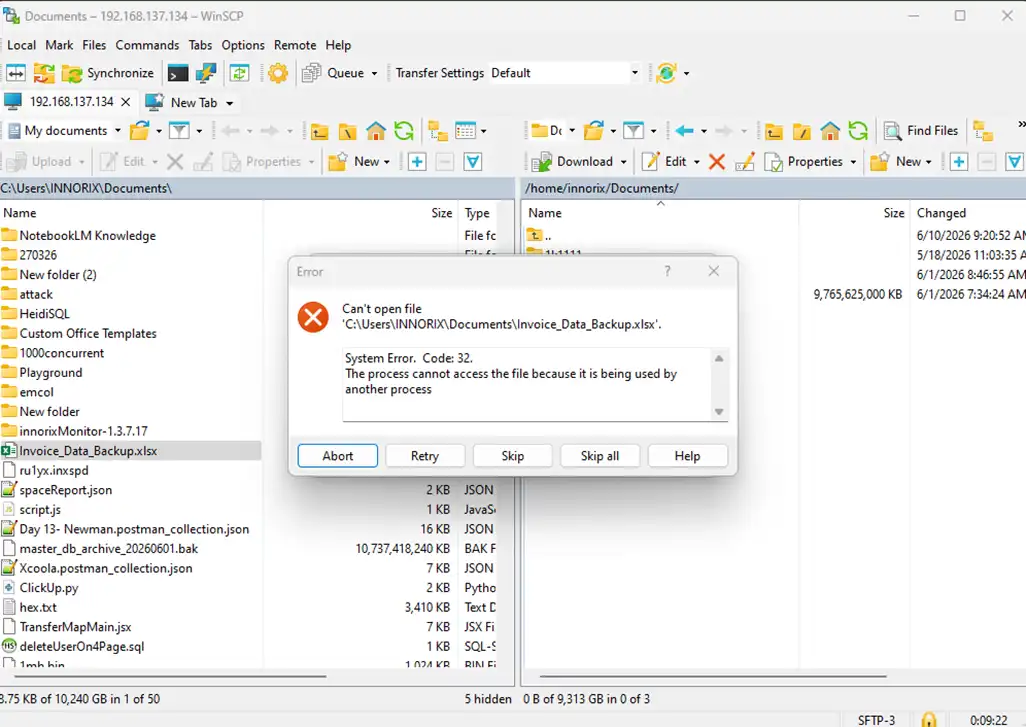 A screen where a typical transfer tool stops with error messages such as 'File is being used by another process' or 'Data is corrupted'
| Failure Type | Occurrence Timing | Legacy System Behavior | Result | Accumulated Impact |
|---|---|---|---|---|
| Network Disconnection | During transfer | Waits or fails after connection drop | Transfer stops | Full restart required |
| Power Loss | Mid-file transfer | Immediate process termination | File corruption (0 bytes) | Data loss |
| Forced Process Termination | During metadata processing | State information lost | Progress reset | Restart from beginning |
| System Reboot | During large transfer | Session cannot be restored | Task aborted | Hours of work lost |
| Storage Error | During file write | Exception and stop | Partial file corruption | Integrity collapse |
| File Lock Conflict | Multi-process environment | Access failure error | Specific file transfer fails | Entire job interrupted |
| Packet Loss | Unstable network | Limited retry logic | Possible data loss | Error accumulation |
| Verification Failure | After transfer completion | Some file mismatch | Revalidation or retransmission required | Reduced reliability |
Recovery That Begins the Moment It Is Detected: An Intelligent Engine That Rebuilds Paths Instantly Upon Failure Recognition#
A unique detection technology of INNORIX that immediately identifies failure points even after cable removal or power loss.
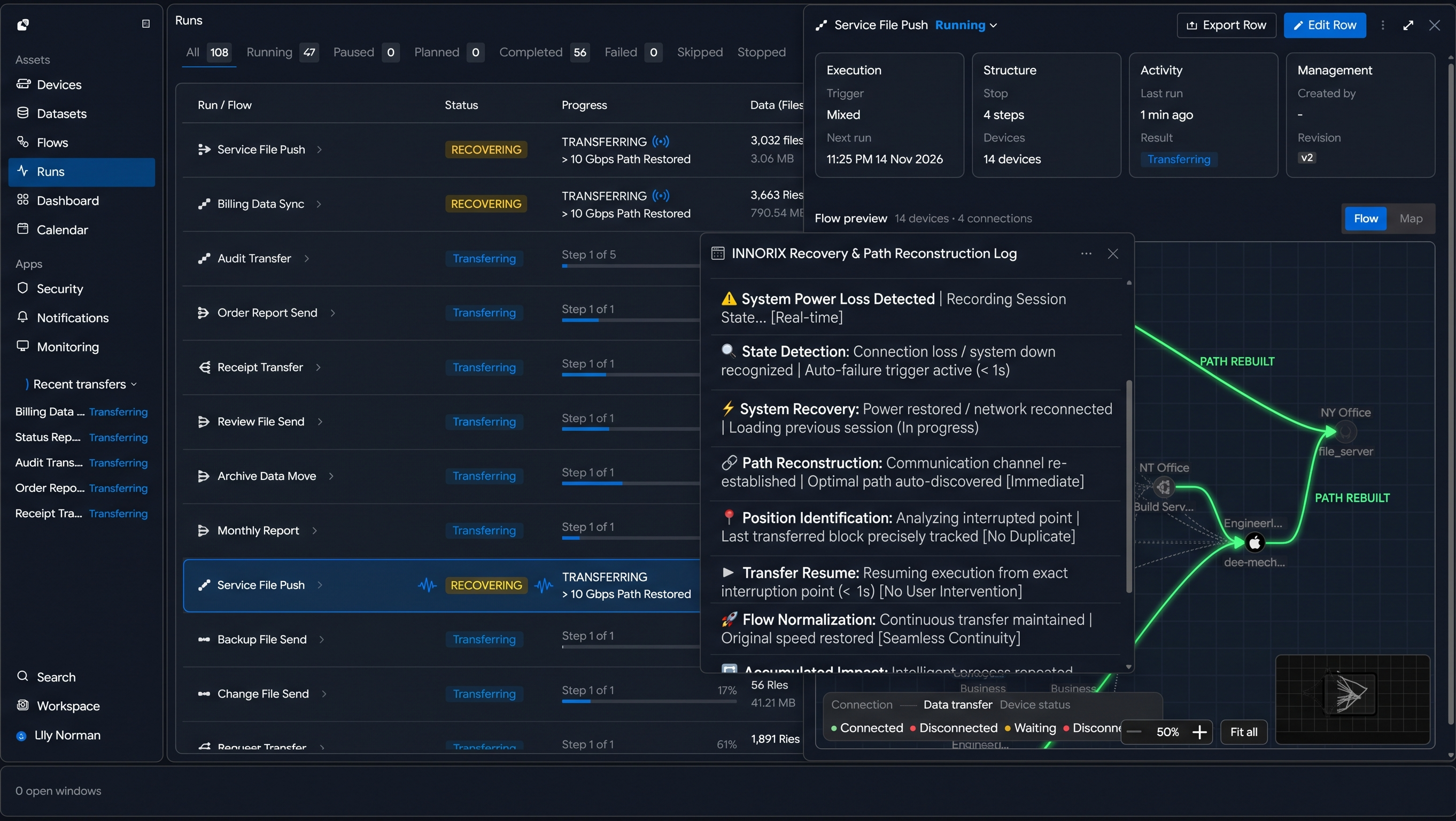 INNORIX transfer monitor log showing 'System Power Loss Detected' and the engine instantly reconstructing communication paths after reboot
| Stage | Event (Failure Moment) | INNORIX Engine Behavior | Time Required | Perceived Result |
|---|---|---|---|---|
| 1. Failure Occurs | Power loss / network disconnection | Session state instantly recorded | Real-time | Data position preserved |
| 2. State Detection | Connection loss / system down recognized | Automatic failure event trigger | < 1 sec | No manual monitoring needed |
| 3. System Recovery | Power restored / network reconnected | Previous session info loaded | Seconds | No reconfiguration needed |
| 4. Path Reconstruction | Communication channel re-established | Optimal path auto-discovered | Immediate | Connection restored |
| 5. Transfer Position Identification | Interrupted point analyzed | Last transferred block precisely tracked | Real-time | No duplicate data |
| 6. Transfer Resume | Resume execution | Starts immediately from interruption | < 1 sec | No user intervention |
| 7. Flow Normalization | Continuous transfer maintained | Original speed restored | Immediate | Seamless continuity |
| 8. Accumulated Impact | Repeated failures | Same process repeated | No change | Identical behavior even after 1,000 times |
Obsession That Continues 1,000 Times: Resume from the Interrupted Point Within 1 Second Without User Intervention#
A fully automated “checkpoint restart” mechanism that eliminates the need for manual verification and retransmission.
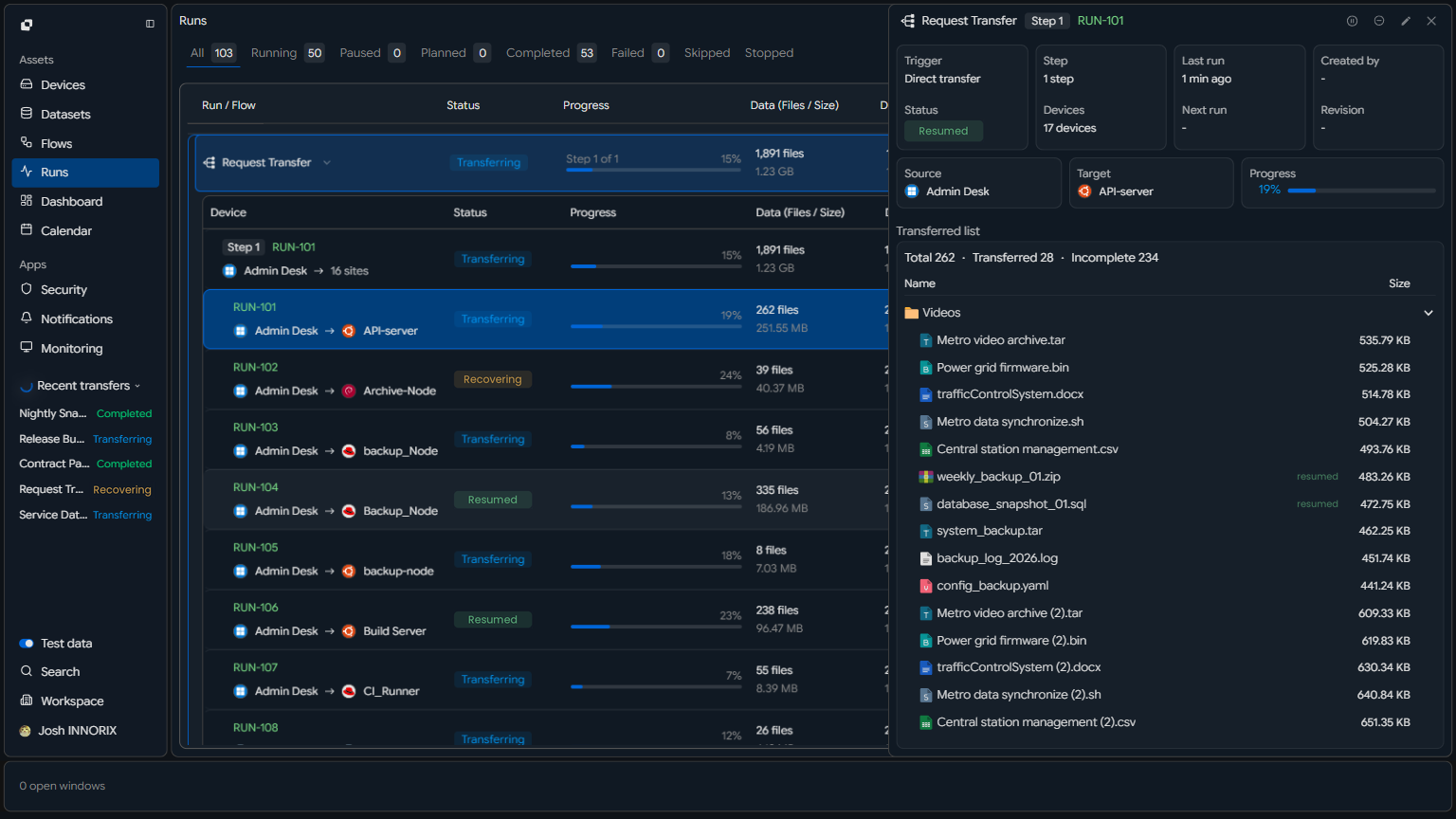 Transfer UI showing progress preserved even after forced shutdown, and the transfer gauge moving again immediately after power is restored without user action
| Situation | Legacy Method (Manual Recovery) | Problem | INNORIX Auto Resume | Result |
|---|---|---|---|---|
| Immediately after failure | Requires user awareness | Cannot respond instantly | System auto-detects | No intervention needed |
| Progress State | Volatile (memory-based) | Lost after reboot | Stored as disk-based checkpoint | Fully preserved |
| Recovery Start | User manually restarts | Delay (minutes to hours) | Auto restart by system | Resume within < 1 sec |
| Transfer Position | Unknown (restart from beginning) | Duplicate transfers occur | Last block precisely tracked | Resume from interruption |
| Repeated Failures | Manual intervention every time | Operational fatigue increases | Same logic auto-repeats | Unmanned operation possible |
| Task Continuity | Interrupted | Flow broken | Continuous flow maintained | Seamless transfer |
| Operational Efficiency | Human-dependent | Human error occurs | Fully automated | Stability improved |
| Final Result | “Restarted multiple times” | Time/cost waste | “Start once → finish completely” | Fully automated completion |
An Immortal Engine That Overcomes Power Loss: Persistent Transfer Even After Hard Reboots#
Unmatched resilience that preserves transfer state to completion even under repeated power loss and forced reboots.
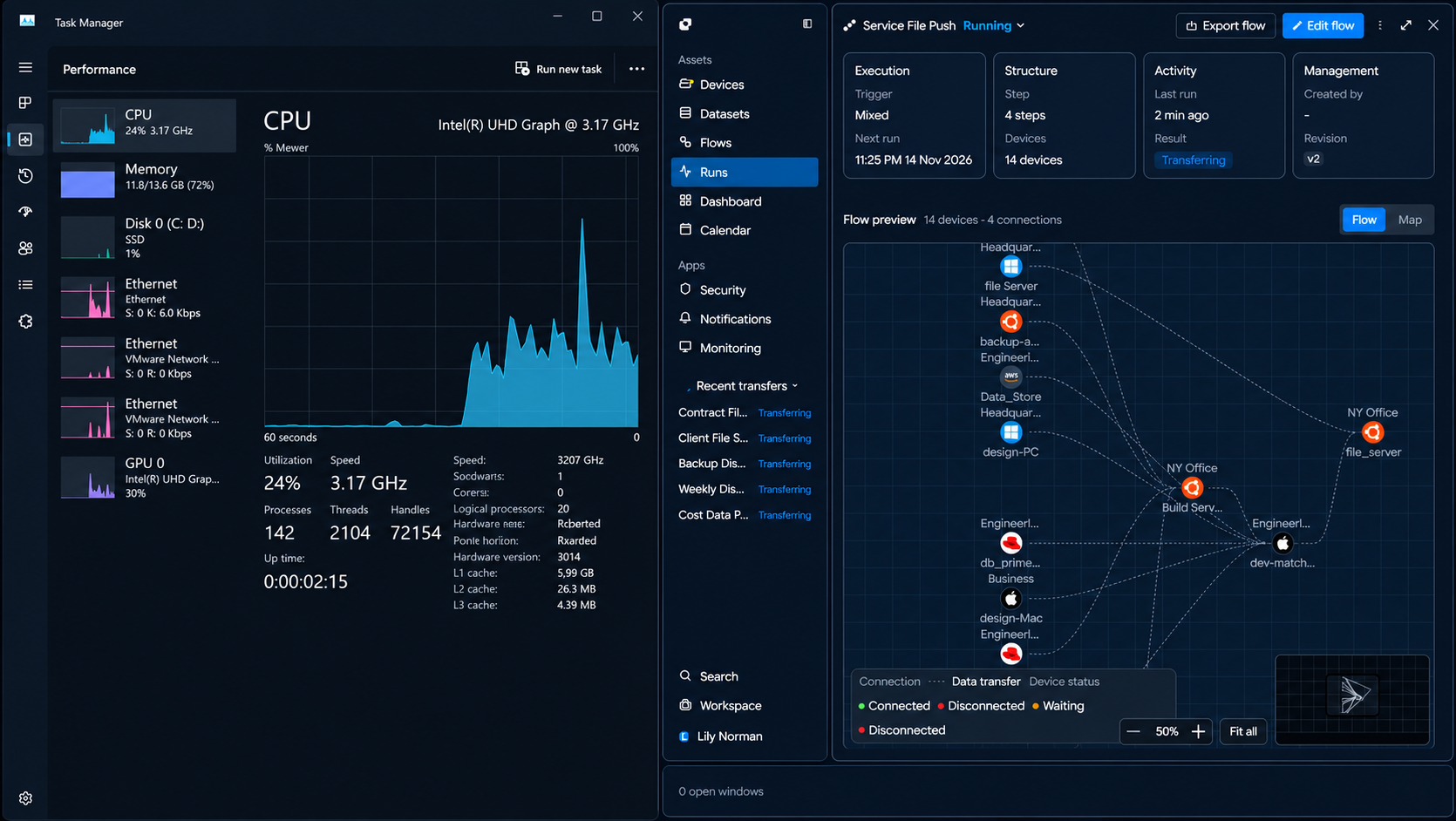 Task manager showing system uptime reset (proof of reboot), while INNORIX transfer session continues seamlessly from previous state
| Category | Before Reboot | Typical System (After Reboot) | INNORIX After Reboot | Result |
|---|---|---|---|---|
| Transfer Session | Active | Completely lost | Fully restored | Continuity maintained |
| Progress | 65% complete | Reset to 0% | Maintained at 65% | No rework |
| Transfer Position | Processing specific file/block | Position lost | Last block precisely restored | Accurate resume |
| Task Queue | Thousands to tens of thousands pending | Queue reset | Queue preserved | Flow maintained |
| Metadata | Partially memory-based | Fully lost | Persistently stored on disk | Fully restored |
| Recovery Process | Manual reconfiguration required | Reconstruction time needed | Auto load and immediate resume | < 1 sec |
| User Intervention | Required | Repeated actions needed | Not required | Unmanned operation |
| System Impact | Reload after restart | Performance degradation | Stable state maintained | Minimal impact |
Zeroing Retransmission Waste: Maximizing Efficiency by Eliminating Redundant Transfers#
Technology that perfectly prevents unnecessary duplicate transfers, protecting network bandwidth and storage resources.
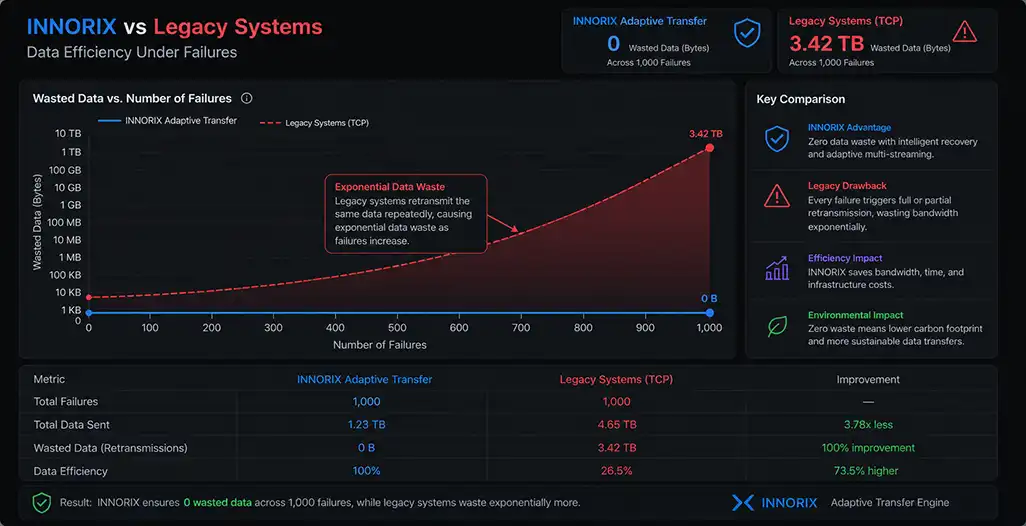 Graph showing ‘0’ wasted data across 1,000 failures vs. exponential data increase in legacy systems due to repeated retransmissions
| Item | Legacy Method (Retransmission Occurs) | Problem | INNORIX Method (No Retransmission) | Result |
|---|---|---|---|---|
| During Failure | Full or file-level retransmission | Duplicate data sent | Resume only interrupted segment | Zero duplication |
| Cumulative Data Volume | 2~10x actual data | Network overload | Equal to actual data | 100% efficiency |
| Network Usage | Bandwidth wasted by repetition | Affects other services | Uses only required amount | Stable operation |
| Transfer Time | Increases with failures | Completion unpredictable | Remains constant | Time determinism ensured |
| Storage I/O | Rewrites same data repeatedly | Disk load increases | Single-write principle | Minimal I/O |
| 1,000 Failures | Partial/full retransmission each time | Data explosion | Zero retransmissions | Full efficiency |
| Operational Cost | Traffic + time + hardware increase | Cost escalation | Minimal resource usage | Cost reduction |
| Final Result | “Unknown how many times sent” | Accumulated inefficiency | “Transferred only once” | Full control |
Final Proof of 100% Integrity: Reassembling 1,000 Fragments into a Perfect Result with Zero Byte Error#
Despite countless disruptions, delivering data that perfectly matches the original through bit-level verification.
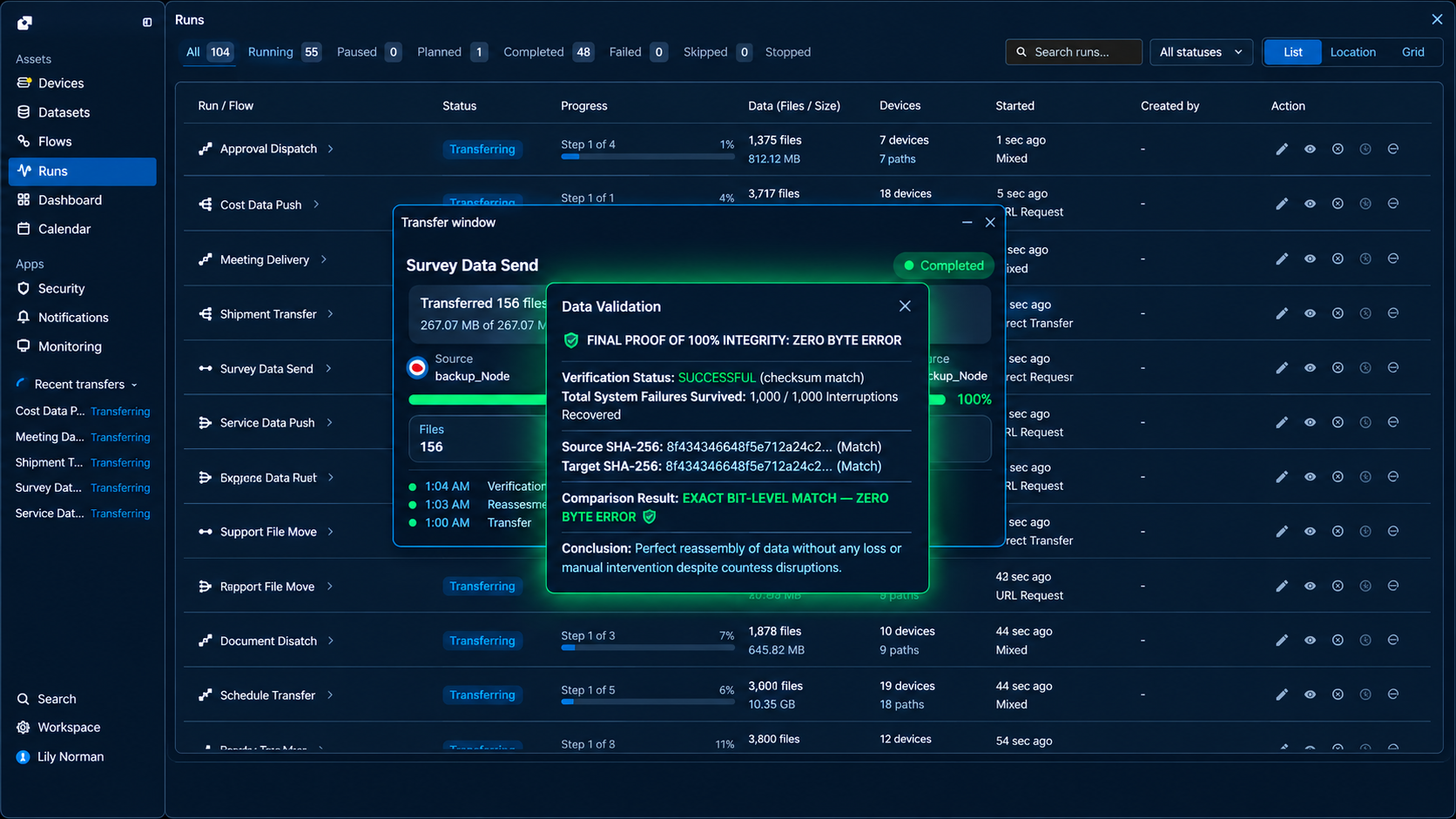 Final validation popup showing checksum match between source and target even after 1,000 system failures
| Verification Item | Legacy Method | Limitation | INNORIX Verification Method | Final Result |
|---|---|---|---|---|
| File Count | Possible omissions | Hard to detect loss during failure | Full file count comparison | 100% match |
| Total Data Volume | Approximate comparison | Cannot detect partial corruption | Byte-level exact comparison | Fully identical |
| File Content | Sampling or skipped | Hidden errors possible | Bit-level validation of all files | Zero byte error |
| Checksum | Partial application | Low overall reliability | Full hash comparison | Perfect match |
| Failure Accumulation Impact | Possible retransmission/corruption | Uncertain results | Same result regardless of failures | No impact |
| Interrupted File Handling | Partial corruption remains | Incomplete recovery | Precise resume + revalidation | Full recovery |
| Verification Scope | Partial post-check | Low reliability | Dual verification (during + after) | Double assurance |
| Final Verdict | “Mostly normal” | Uncertainty exists | “Completely identical” | 100% integrity confirmed |